> ## Documentation Index
> Fetch the complete documentation index at: https://enterprise-docs.bglobale.com/llms.txt
> Use this file to discover all available pages before exploring further.
# Merchandising
## Global‑e Promotions
Global‑e has added and configured the following conditions to Hybris:
* Set the Global‑e shipping country as a condition
* Set the country-specific exclusion condition
* Apply the currency conversion to a fixed discount
* Apply the free shipping coupon
**To create a new promotion:**
1. Log in to Backoffice.
2. Go to **Marketing Promotion Rules > Create New Promotion Rule**.
3. Select the **Conditions and Actions** tab.
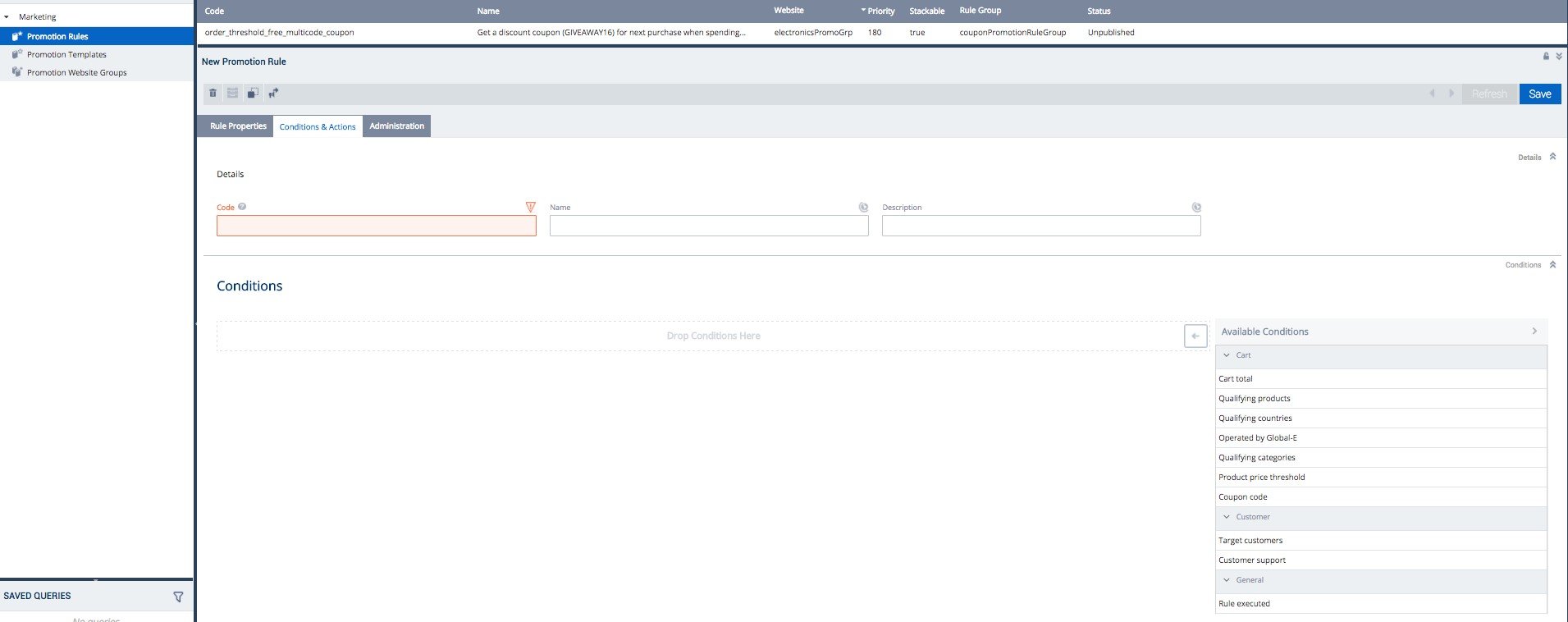 4. Add the details of the promotions: Code, Name, and Description.
 ### Example of Promotion #1
**10% off all products excluding Global-e operated countries**
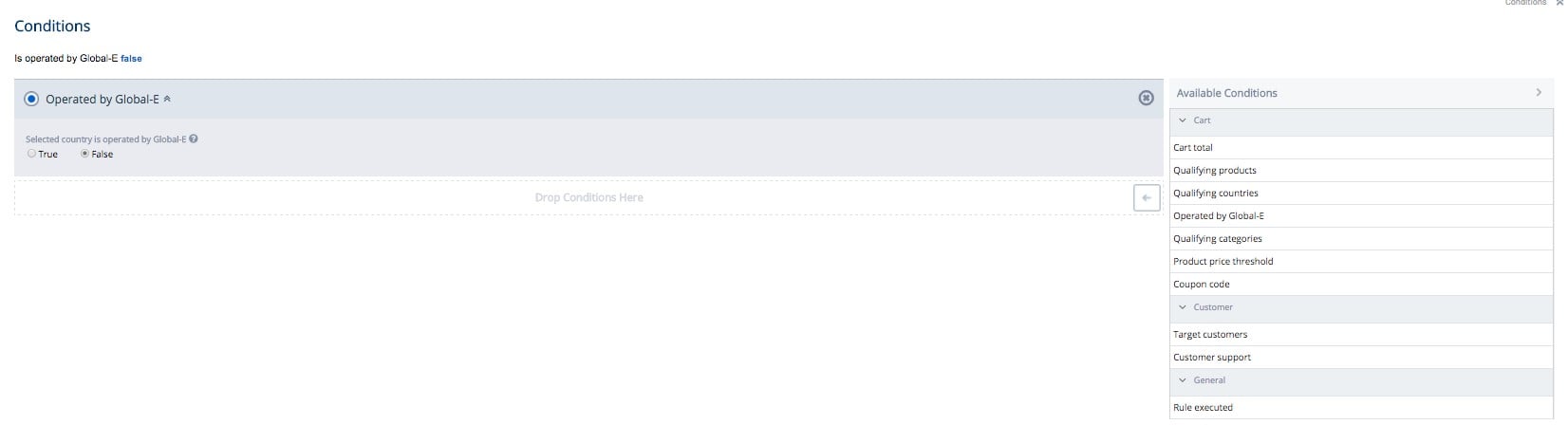
1. Under the **Conditions and Actions** tab, expand the **Condition** section.
1. Under **Available Conditions** (right menu), select **Operated by Global-E**.
2. Under Operated by Global-e, select **false**.
### Example of Promotion #1
**10% off all products excluding Global-e operated countries**
1. Under the **Conditions and Actions** tab, expand the **Condition** section.
1. Under **Available Conditions** (right menu), select **Operated by Global-E**.
2. Under Operated by Global-e, select **false**.
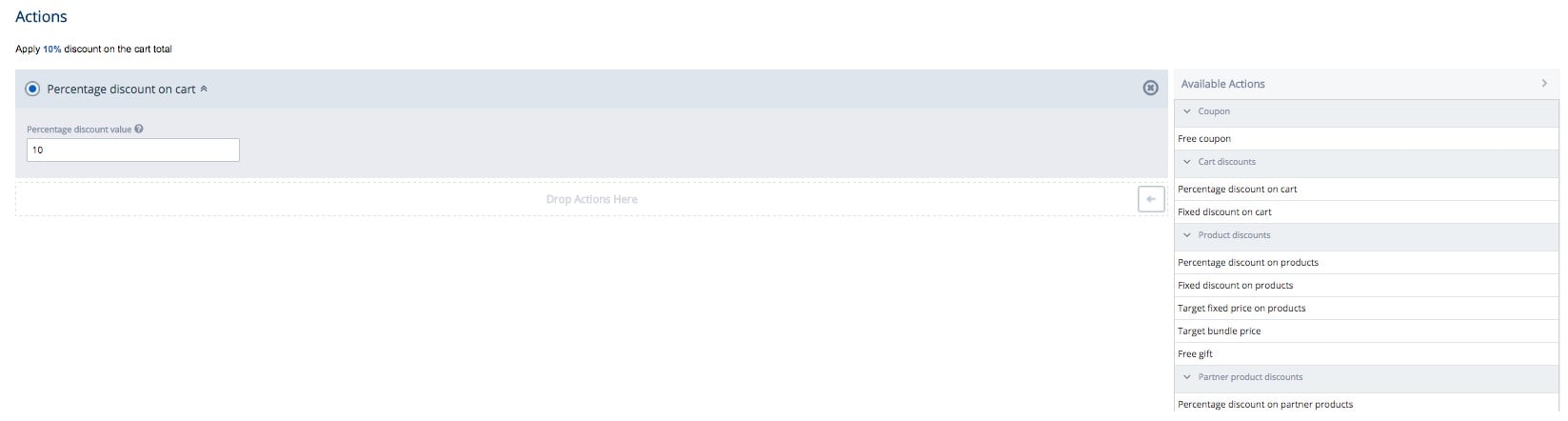
 2. Go to the **Actions** section.
1. Select the action '**Percentage discount on cart**'.
2. Under Percentage discount value, specify % off.
2. Go to the **Actions** section.
1. Select the action '**Percentage discount on cart**'.
2. Under Percentage discount value, specify % off.
 3. Click **Save**.
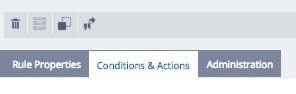
3. To set a promotion live, click the **Publish** icon (on the right).
To stop or deactivate the promotion click the 'Archive' button next to the bin.
3. Click **Save**.
3. To set a promotion live, click the **Publish** icon (on the right).
To stop or deactivate the promotion click the 'Archive' button next to the bin.
 4. Refresh your website.
The messaging should appear in the cart.
You can also see the adjustment of the total price.
### Example of Promotion #2
**10EUR off 100EUR minimum spent on all products in Germany**
1. Select the **Conditions and Actions** tab.
4. Refresh your website.
The messaging should appear in the cart.
You can also see the adjustment of the total price.
### Example of Promotion #2
**10EUR off 100EUR minimum spent on all products in Germany**
1. Select the **Conditions and Actions** tab.
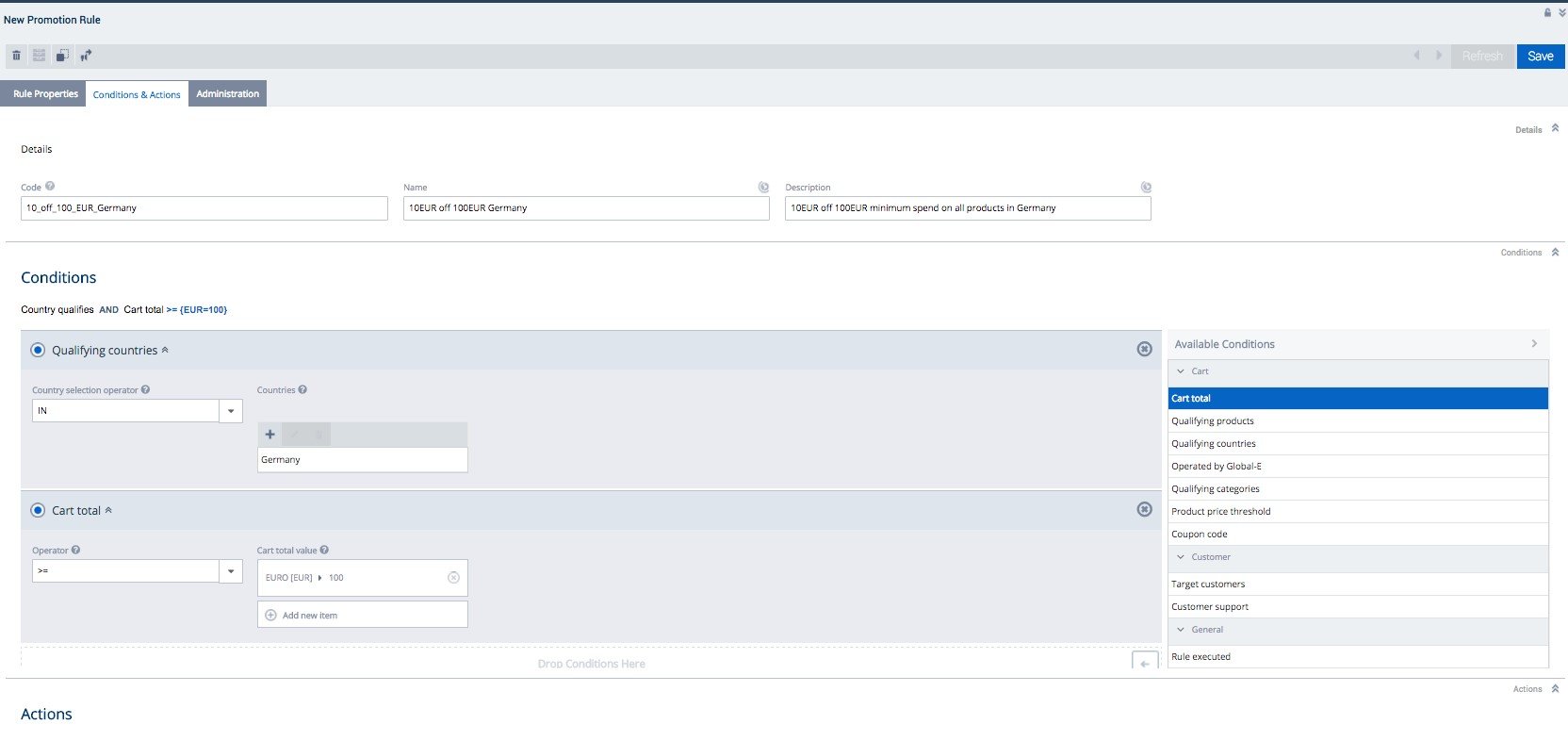 2. In the **Conditions** area, select a condition:
1. Under Available Conditions (right menu), select **Qualifying Countries**.
2. In the main area, set:
Countries: **Germany**
Cart total value, in the EUR field: **100**
Operator: **IN**
3. Select a second condition:
1. Under Available Conditions, select **Cart Total**.
2. In the main area, set:
Cart total value, in the EUR field: **100**
Operator: **>=**
4. In the **Actions** area, create the action **Absolute Discount Value**:
1. Go to **Fixed discount on cart** > **Absolute discount value** >
2. In the **EUR** field, set the value **10**
2. In the **Conditions** area, select a condition:
1. Under Available Conditions (right menu), select **Qualifying Countries**.
2. In the main area, set:
Countries: **Germany**
Cart total value, in the EUR field: **100**
Operator: **IN**
3. Select a second condition:
1. Under Available Conditions, select **Cart Total**.
2. In the main area, set:
Cart total value, in the EUR field: **100**
Operator: **>=**
4. In the **Actions** area, create the action **Absolute Discount Value**:
1. Go to **Fixed discount on cart** > **Absolute discount value** >
2. In the **EUR** field, set the value **10**
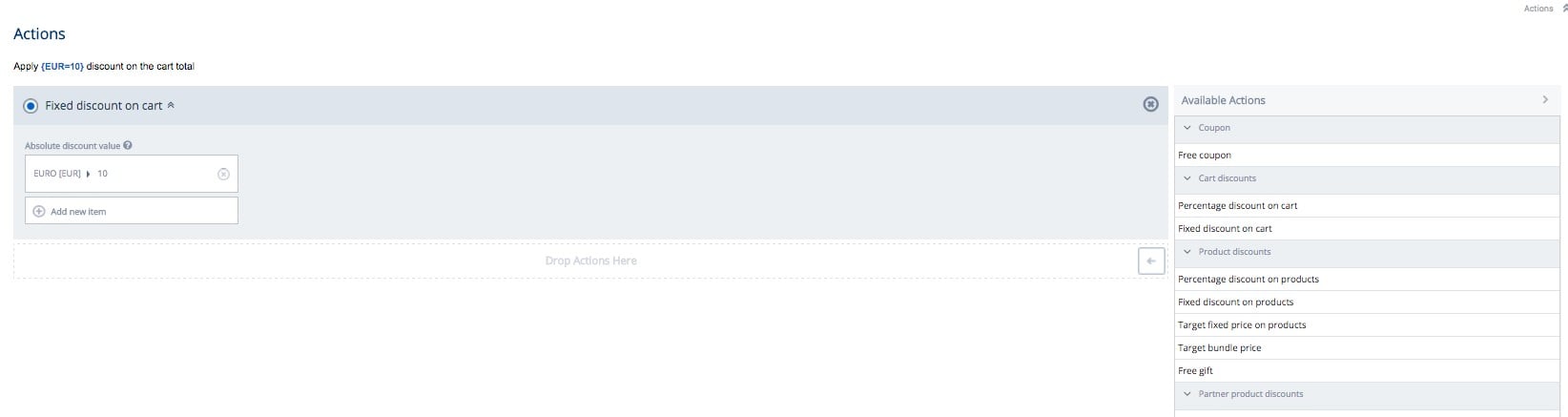 Note that the Promotion feature is country-specific.
Hence, if the checkout currency is different from the promotion currency,
Global‑e conversion rates are applied. This rate is rounded to two decimal places.
### Example of Promotion #3
**Free Shipping Coupon**
1. In the Conditions area, under Available Conditions (right menu), select the condition **Coupon Code**.
2. Select the trigging coupon name. Example: FREE\_SHIPPING to be filled in between brackets \[]
Note that the Promotion feature is country-specific.
Hence, if the checkout currency is different from the promotion currency,
Global‑e conversion rates are applied. This rate is rounded to two decimal places.
### Example of Promotion #3
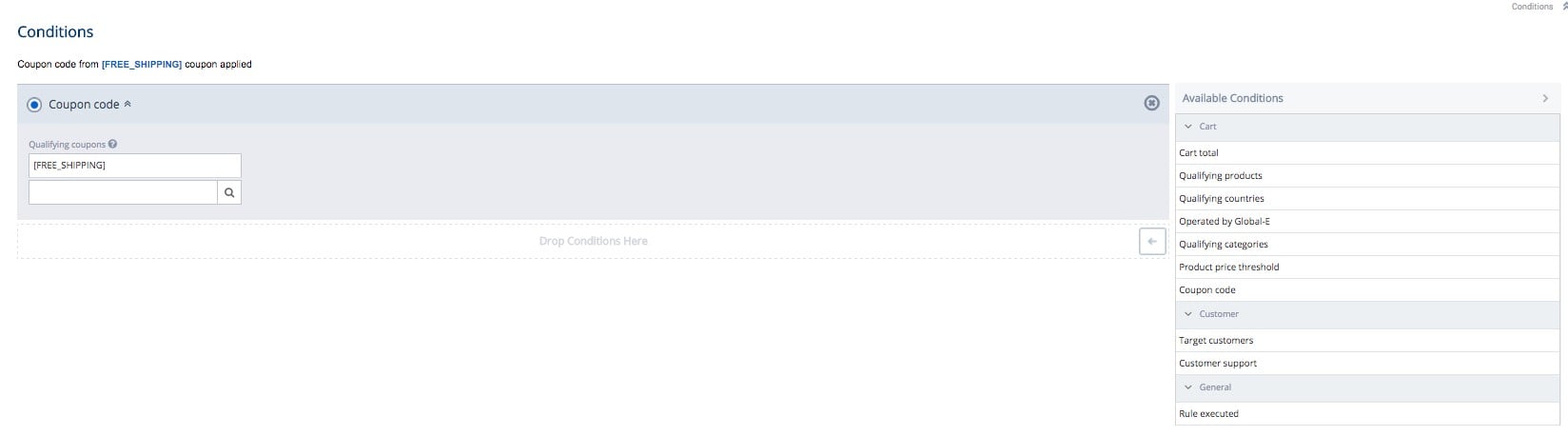
**Free Shipping Coupon**
1. In the Conditions area, under Available Conditions (right menu), select the condition **Coupon Code**.
2. Select the trigging coupon name. Example: FREE\_SHIPPING to be filled in between brackets \[]
 3. In the Actions area, under **Change delivery mode**, enter **free-standard-shipping**.
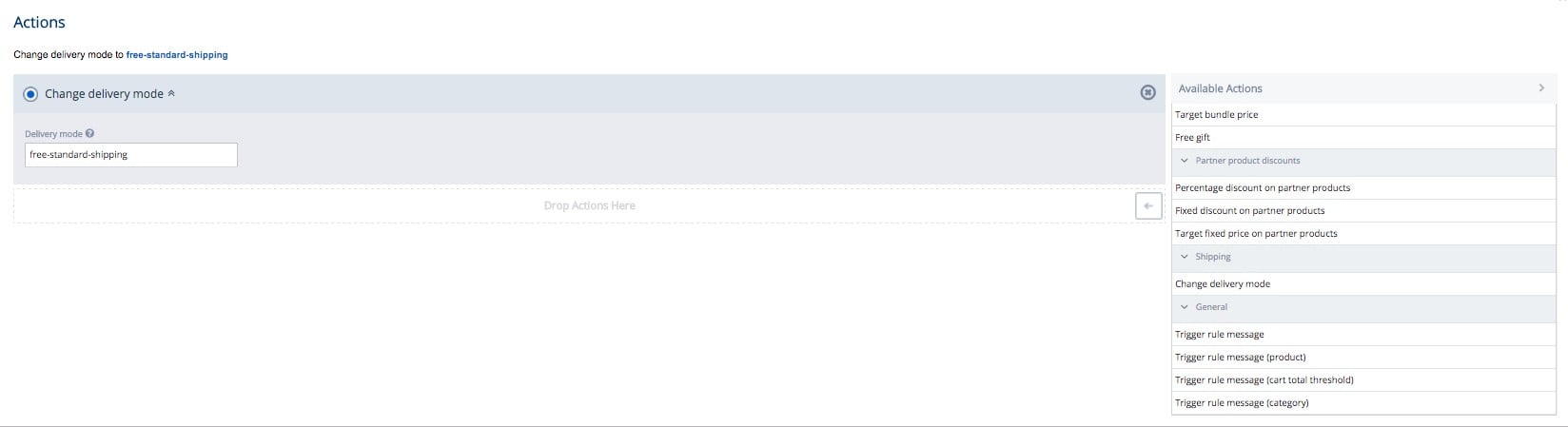 4. Save and publish the promotion.
5. Add a product to the cart.
6. In the coupon field, enter FREE\_SHIPPING. Against the delivery, cost FREE is indicated.
4. Save and publish the promotion.
5. Add a product to the cart.
6. In the coupon field, enter FREE\_SHIPPING. Against the delivery, cost FREE is indicated.
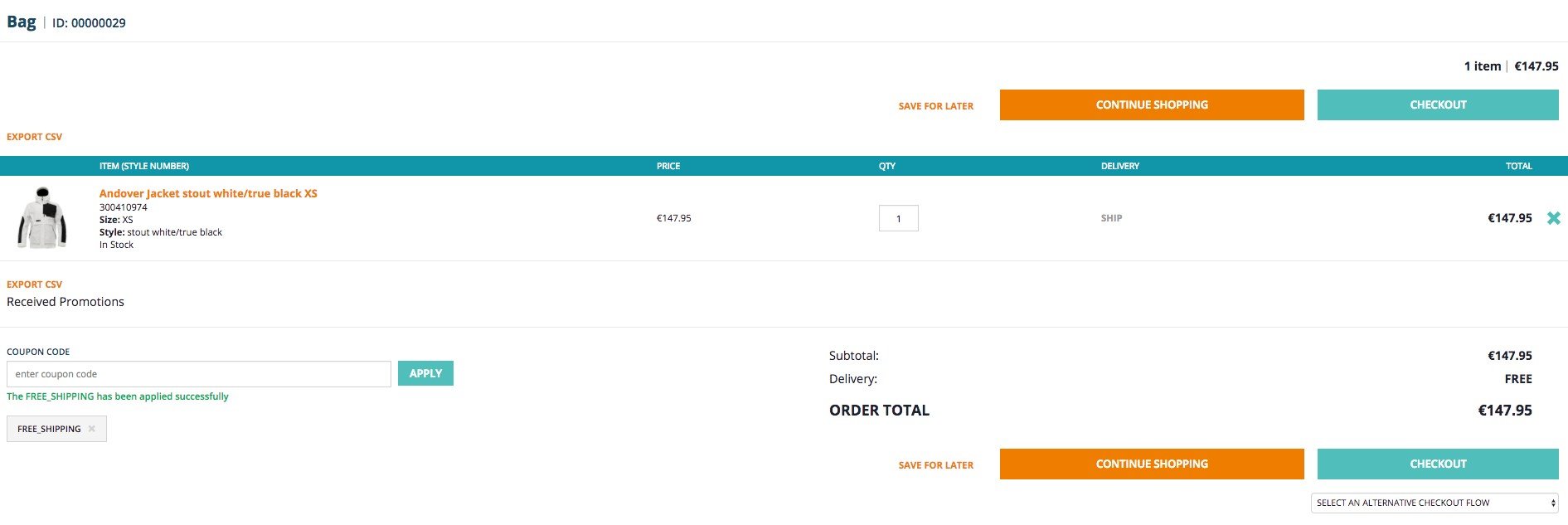 7. Go back to the Global‑e iFrame checkout. A Free Delivery option is now available.
### Known Limitations
Care should be taken when creating a promotion where conversions are used.
Actions with fixed discounts will not be applied if neither store’s default currency - nor a promotion’s action currency matches a customer session currency.
For example, a discount is not be applied in the following cases:
* A promotion action with a fixed discount in USD
* The store’s default currency is EUR
* The customer cart currency is PLN
### Cookies Disabled
If customers do not enable cookies, they cannot change the default country and checkout via Global‑e.
Global‑e manages a range of cookies. The Global‑e add-on modifies one cookie to store the selected country, currency, and culture (GlobalE\_Data). This cookie is used in `GlobaleCookieToSessionFilter`.
### Solr: Sorting by Price and Price Range Facet
For price sorting and price range facets to work for Global‑e-managed-countries on the product listing and search pages, you must configure indexed currencies and price ranges.
Global‑e recommends configuring solr indexing only for the most frequently used currencies, such as the store’s default currency: EUR and USD.
For other Global‑e-managed currencies, Global‑e converts prices at the search page rendering stage.
The Solr index runs outside of the web session. As a result, Global-e misses the session’s country and falls back to a default shipping country (CMSSite.defaultShipToCountry) because the price conversion uses the default conversion coefficients.
This also affects fixed prices. If you have country-specific product fixed prices, the fixed prices are not indexed, unless the country is the default ship-to country.
To configure indexing. update your SolrFacetSearchConfig and create `SolrValueRangeSet` for the additional currency.
## Restricted & Forbidden Products
The product can either be set to '**Restricted**' or '**Forbidden**' for shipping or importing.
Restrictions concerning countries operated by Global‑e are enabled on the Global‑e side.
When specific products are restricted for shipping based on the customer's shipping country, the product cannot be sold in that particular country.
Products can also be restricted for shipping across all Global‑e managed countries. In that case, these 'forbidden' products are only available for purchase in countries that are not managed by Global‑e.
**Example in SAP Hybris:** **Shipping Restricted Products**
1. Add a restricted product to the cart.
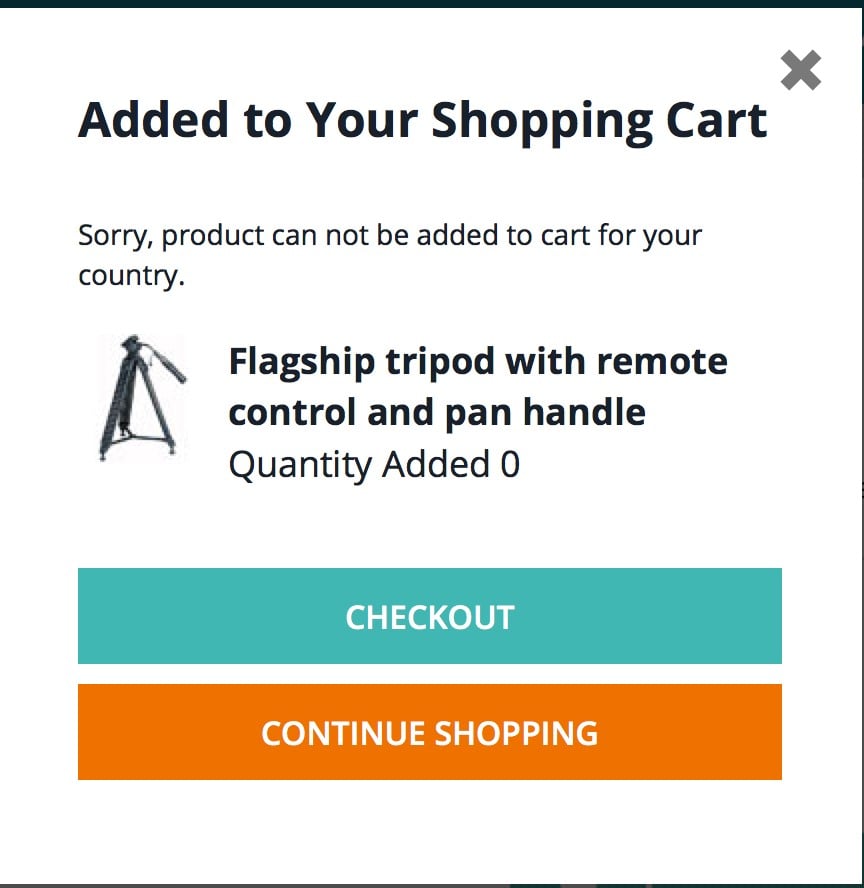
The following pop-up is displayed stating that the product cannot be added to the cart.
7. Go back to the Global‑e iFrame checkout. A Free Delivery option is now available.
### Known Limitations
Care should be taken when creating a promotion where conversions are used.
Actions with fixed discounts will not be applied if neither store’s default currency - nor a promotion’s action currency matches a customer session currency.
For example, a discount is not be applied in the following cases:
* A promotion action with a fixed discount in USD
* The store’s default currency is EUR
* The customer cart currency is PLN
### Cookies Disabled
If customers do not enable cookies, they cannot change the default country and checkout via Global‑e.
Global‑e manages a range of cookies. The Global‑e add-on modifies one cookie to store the selected country, currency, and culture (GlobalE\_Data). This cookie is used in `GlobaleCookieToSessionFilter`.
### Solr: Sorting by Price and Price Range Facet
For price sorting and price range facets to work for Global‑e-managed-countries on the product listing and search pages, you must configure indexed currencies and price ranges.
Global‑e recommends configuring solr indexing only for the most frequently used currencies, such as the store’s default currency: EUR and USD.
For other Global‑e-managed currencies, Global‑e converts prices at the search page rendering stage.
The Solr index runs outside of the web session. As a result, Global-e misses the session’s country and falls back to a default shipping country (CMSSite.defaultShipToCountry) because the price conversion uses the default conversion coefficients.
This also affects fixed prices. If you have country-specific product fixed prices, the fixed prices are not indexed, unless the country is the default ship-to country.
To configure indexing. update your SolrFacetSearchConfig and create `SolrValueRangeSet` for the additional currency.
## Restricted & Forbidden Products
The product can either be set to '**Restricted**' or '**Forbidden**' for shipping or importing.
Restrictions concerning countries operated by Global‑e are enabled on the Global‑e side.
When specific products are restricted for shipping based on the customer's shipping country, the product cannot be sold in that particular country.
Products can also be restricted for shipping across all Global‑e managed countries. In that case, these 'forbidden' products are only available for purchase in countries that are not managed by Global‑e.
**Example in SAP Hybris:** **Shipping Restricted Products**
1. Add a restricted product to the cart.
The following pop-up is displayed stating that the product cannot be added to the cart.
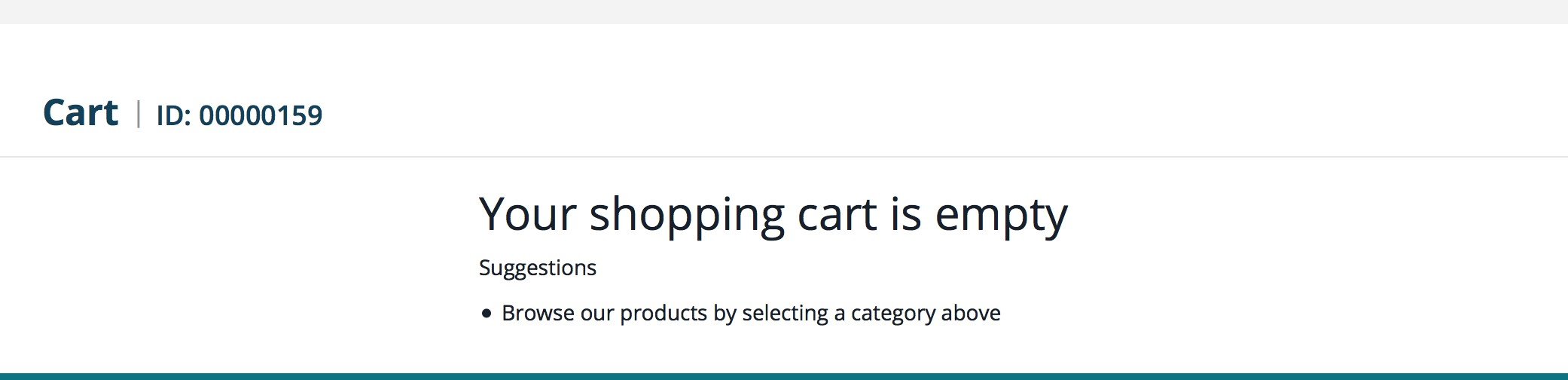
 2. If the customer still tries to click checkout, the empty cart page is displayed.
 **Example in SAP Hybris:** **Shipping Forbidden Products**
1. Add a forbidden product to the cart.
**Example in SAP Hybris:** **Shipping Forbidden Products**
1. Add a forbidden product to the cart.
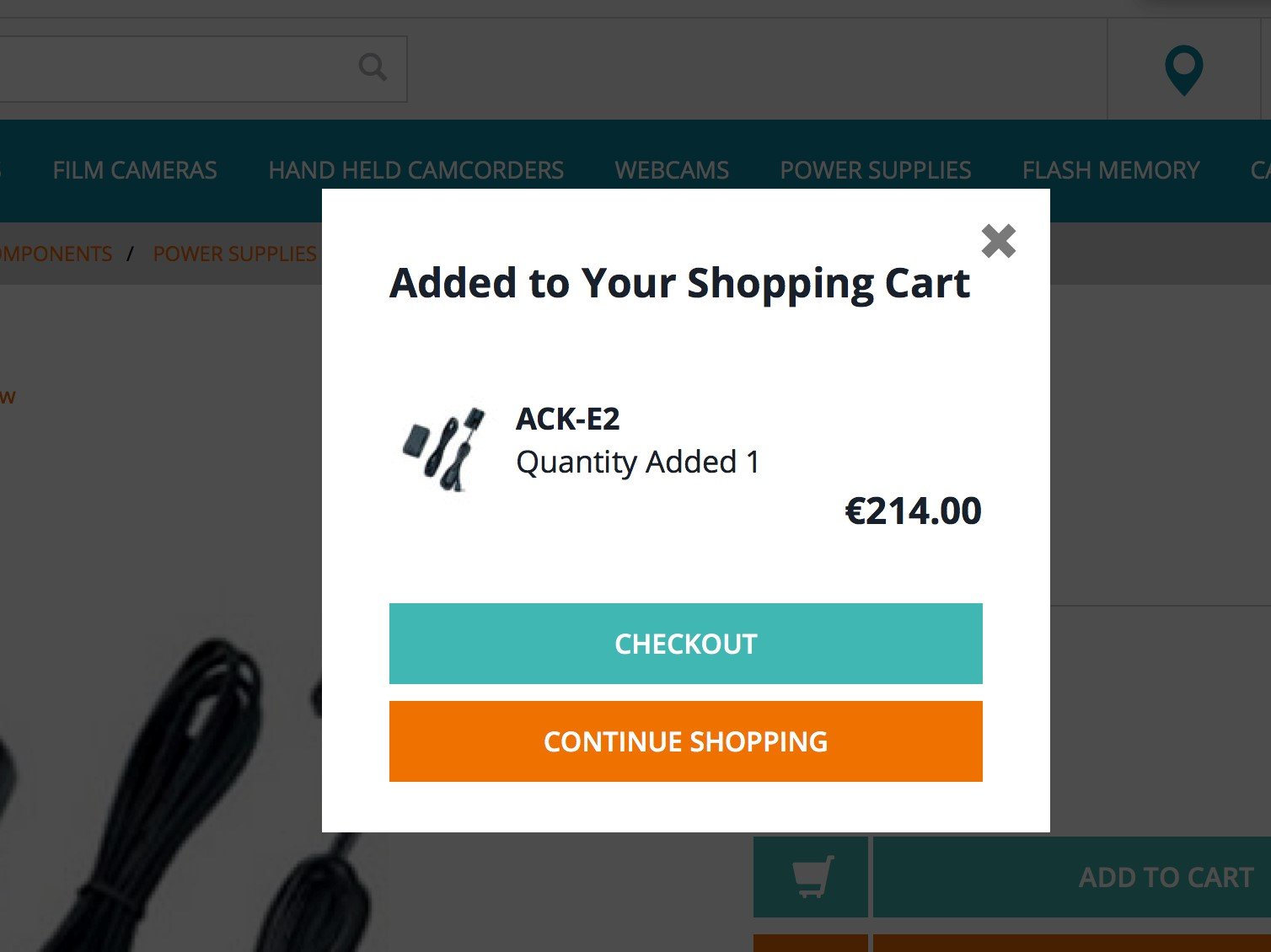 2. Navigate to the checkout page.

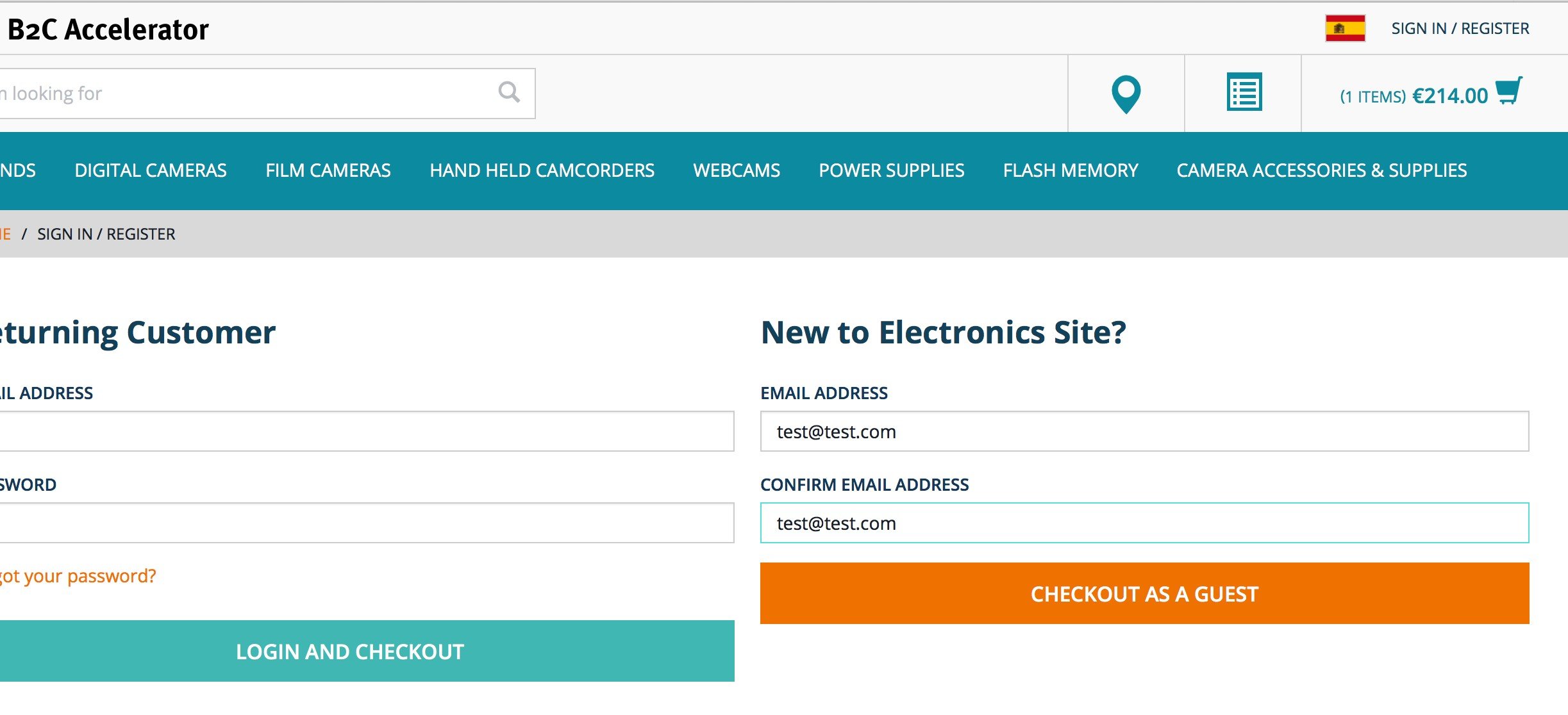 A forbidden message is displayed on the checkout page.