> ## Documentation Index
> Fetch the complete documentation index at: https://enterprise-docs.bglobale.com/llms.txt
> Use this file to discover all available pages before exploring further.
# Split Cart Discount to Item Level
Before getting started you want to ensure that the **Split Cart Discount to Item Level** is set to **enabled**.
This ensures that the discount is split up per item instead of being applied to the entire cart.
**To enable the Split Cart Discount to Item Level:**
1. From the Magento dashboard navigate to **Stores** > **Configuration**.
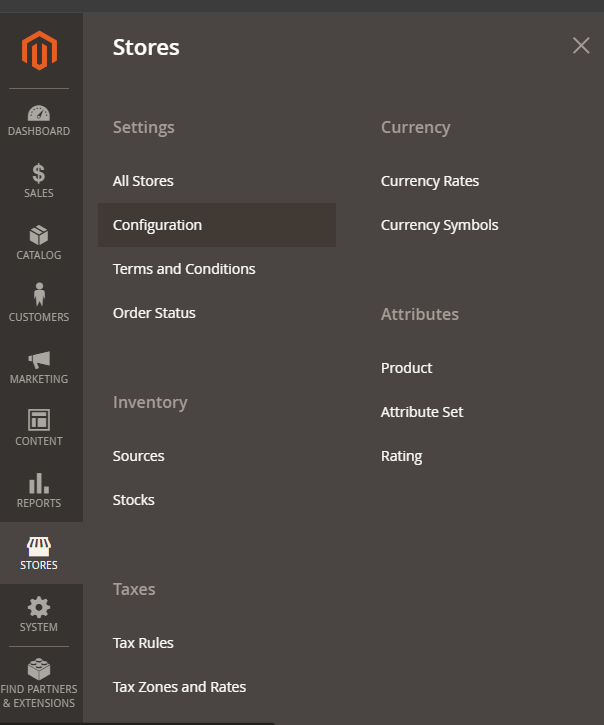 The configuration page opens.
2. Scroll down the page to **Services** and select **Global-e Crossborder.**
The configuration page opens.
2. Scroll down the page to **Services** and select **Global-e Crossborder.**
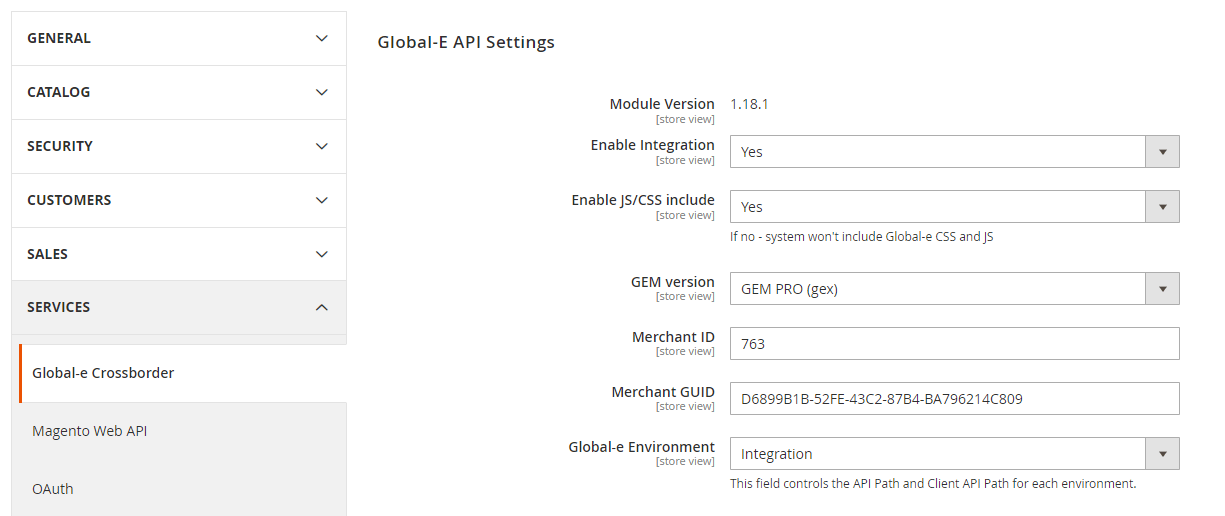 3. Scroll down the page to **Checkout/Order** > **Split Cart Discount to Item level**.
 Make sure the setting is set to **Yes**.
4. At the top-right click **Save Config** if any changes are made.
Make sure the setting is set to **Yes**.
4. At the top-right click **Save Config** if any changes are made.