> ## Documentation Index
> Fetch the complete documentation index at: https://enterprise-docs.bglobale.com/llms.txt
> Use this file to discover all available pages before exploring further.
# Third-Party Integration
## JPresta Page Cache Ultimate and Global‑e Plugin Configuration
Here is how to configure PrestaShop to work with both the JPresta and Global-e modules.
1. Go to **IMPROVE** > **International** > **Localization.**
2. In the configuration area, disable **Set default country from browser language** and **Geolocation by IP address.**
 Disable Set default country from browser language.
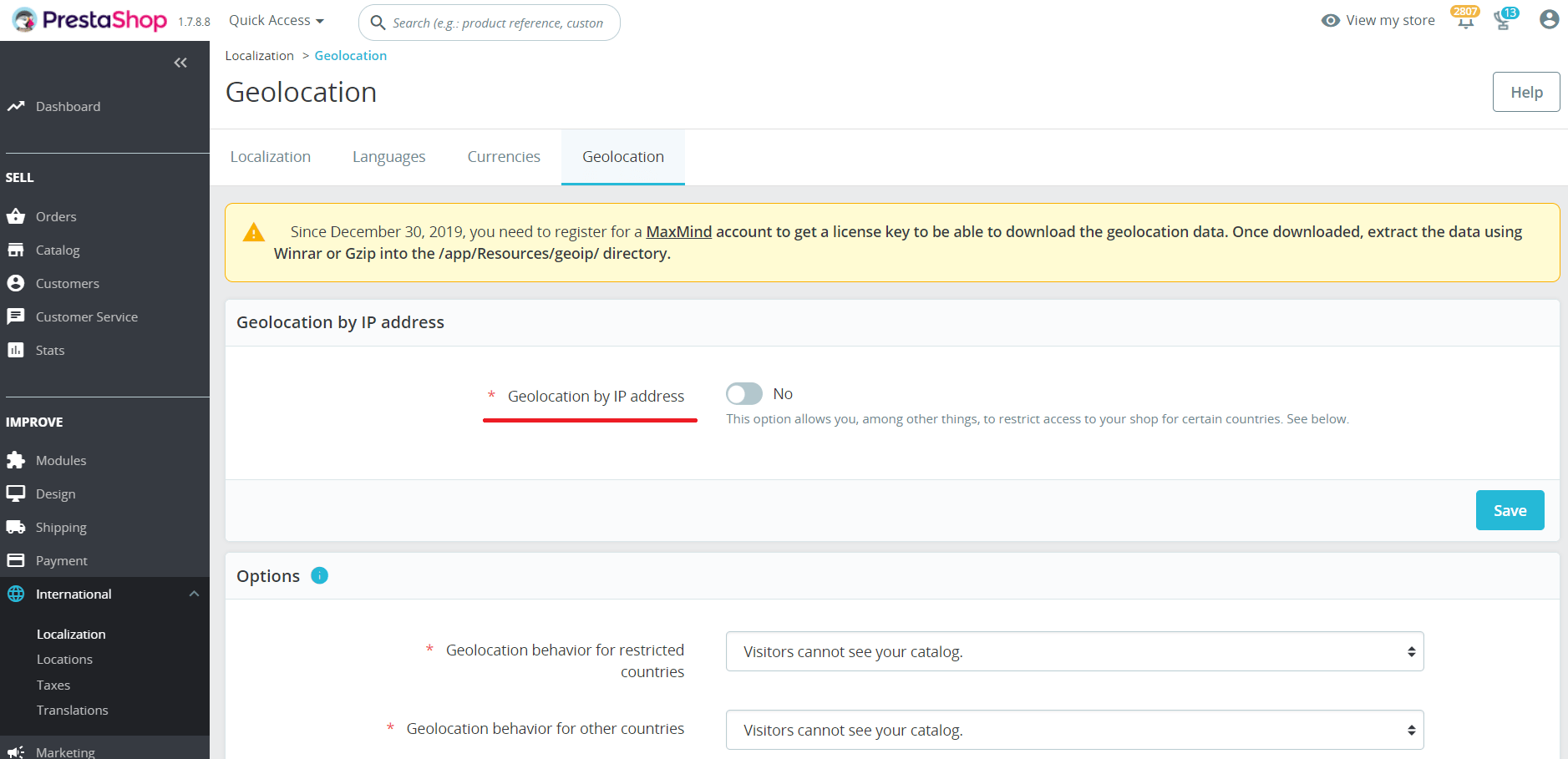 Disable Geolocation by IP address.
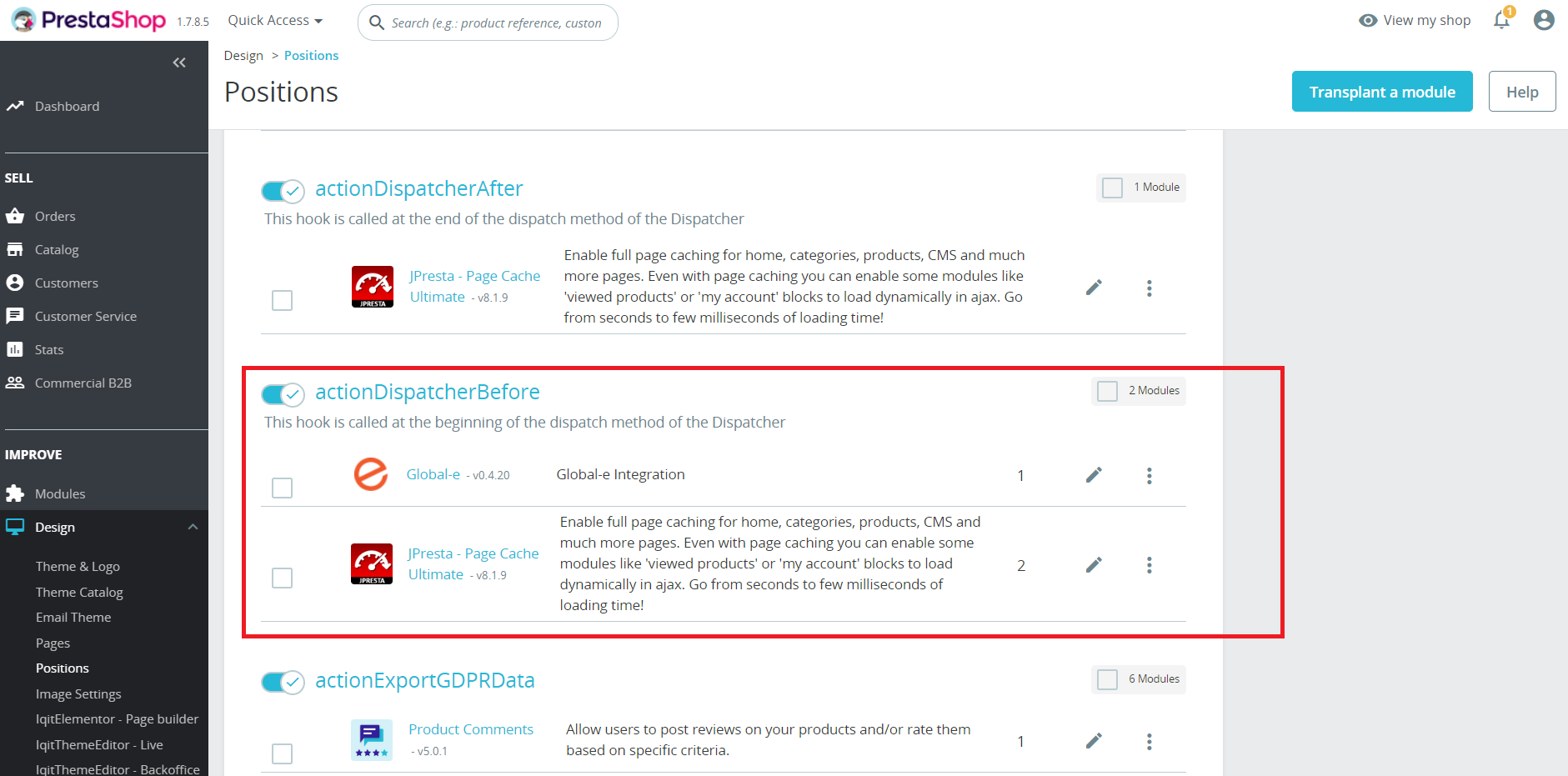
3. Move the position of the hook actionDispatcherBefore for the Global‑e plugin to be before JPresta.
Disable Geolocation by IP address.
3. Move the position of the hook actionDispatcherBefore for the Global‑e plugin to be before JPresta.
 4. Modify the Global‑e Global‑e GEM code:
Add the `countryCode`and `currencyCode` or `glCountry` and `glCurrency` query params when the country is changed in the shipping switcher.
5. Empty the PrestaShop and the JPresta caches.
6. Set \$EXPIRES\_MIN = 0; in modules/pagecache/static.config.php. In purpose to disable browser cache for product and categories pages.
4. Modify the Global‑e Global‑e GEM code:
Add the `countryCode`and `currencyCode` or `glCountry` and `glCurrency` query params when the country is changed in the shipping switcher.
5. Empty the PrestaShop and the JPresta caches.
6. Set \$EXPIRES\_MIN = 0; in modules/pagecache/static.config.php. In purpose to disable browser cache for product and categories pages.