

Install the Global‑e Module
Follow one of the methods below to install the Global-e module for Shopware. Method 1. Install the module from the server-
Install the source code.
- Get the installation zip file, GlobalEShopware6-x.x.x.zip, from Global-e.
- Extract the zip file to custom/plugins/directory.
-
Enable the Plugin.
- Go to Extensions → My extensions
-
Click Install app.
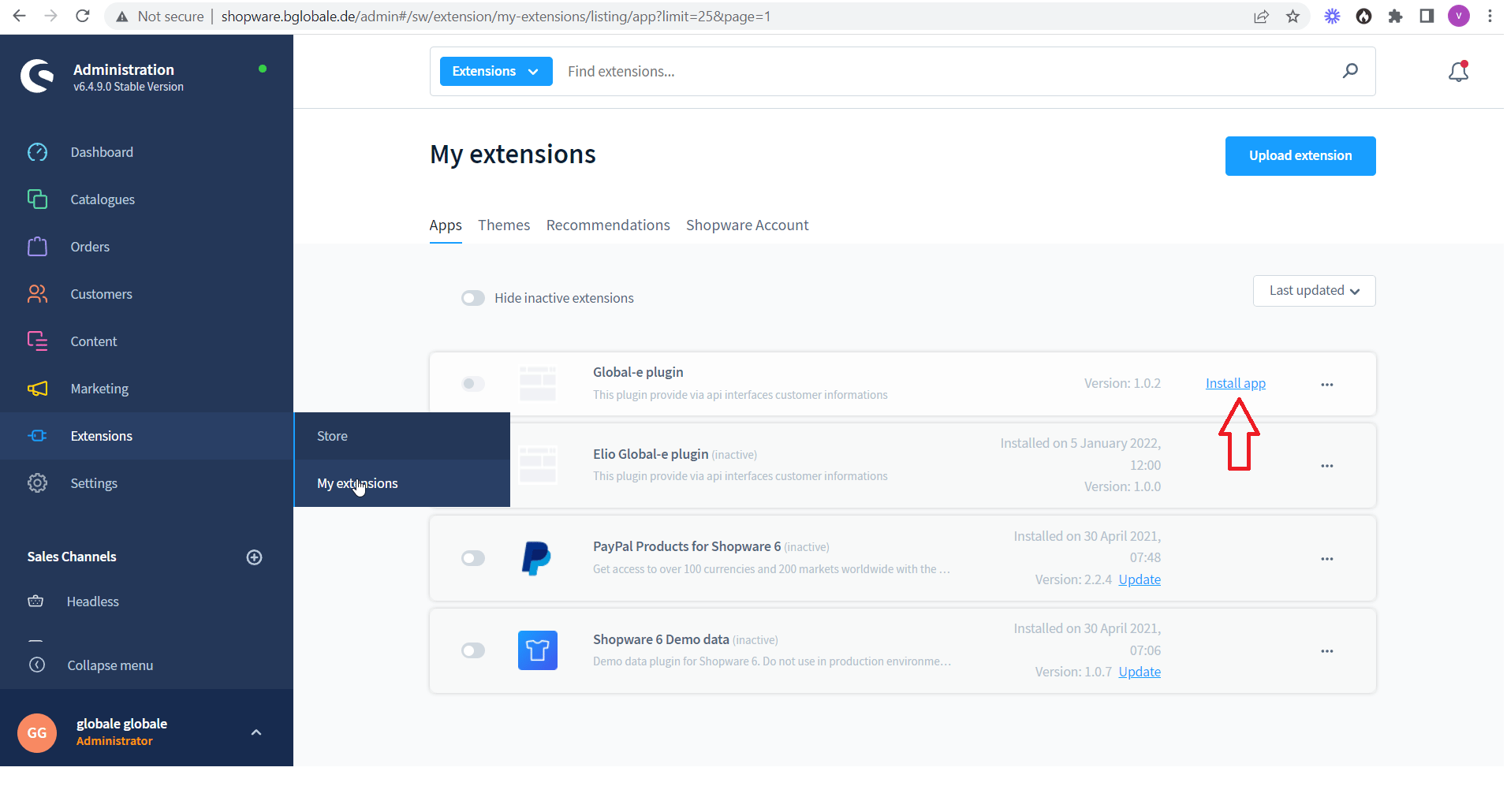
-
Enable the Global-e plugin.
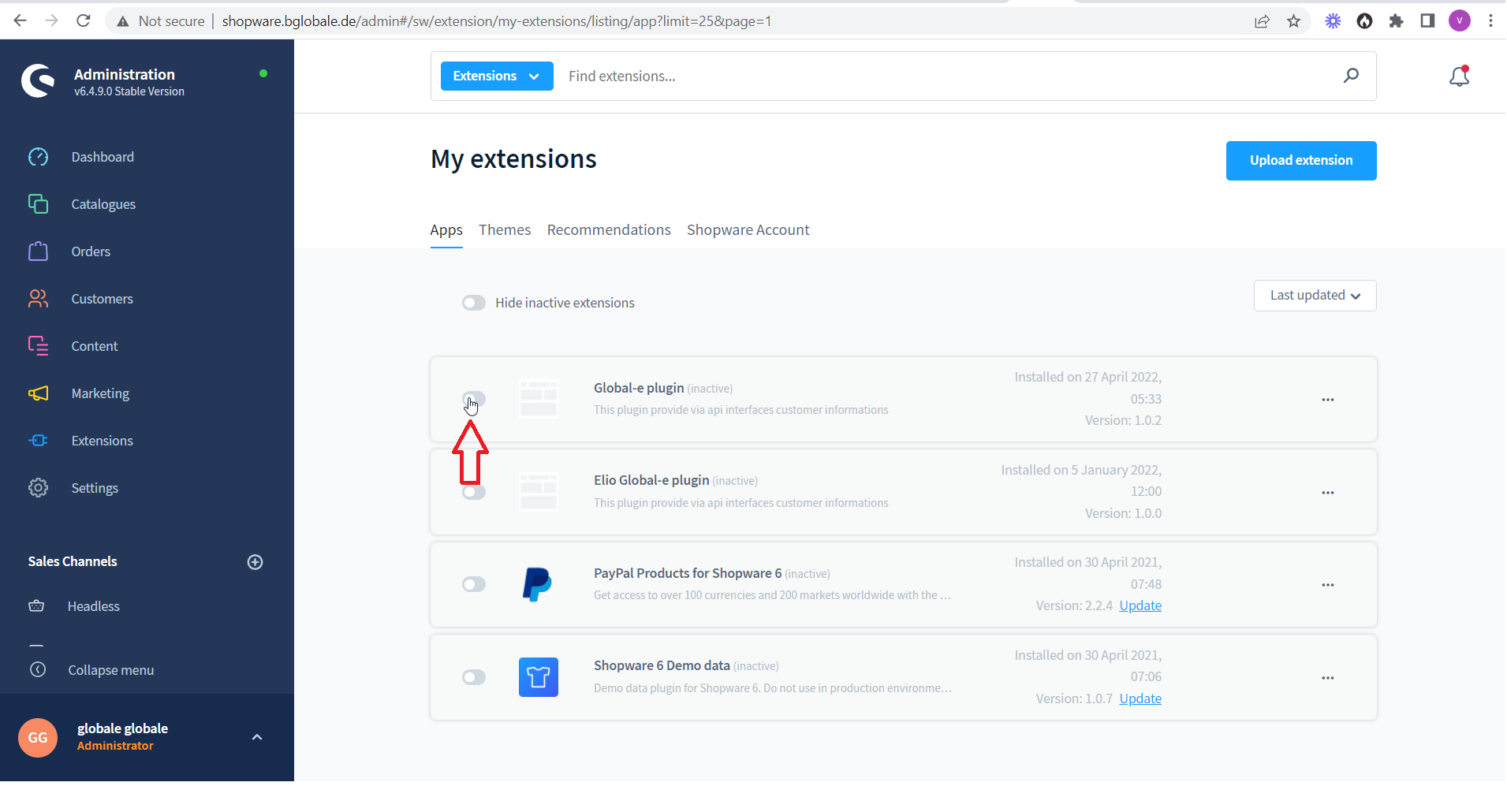
-
Configure the plugin:
-
To the right of the Global-e plugin click the three dots → Configuration
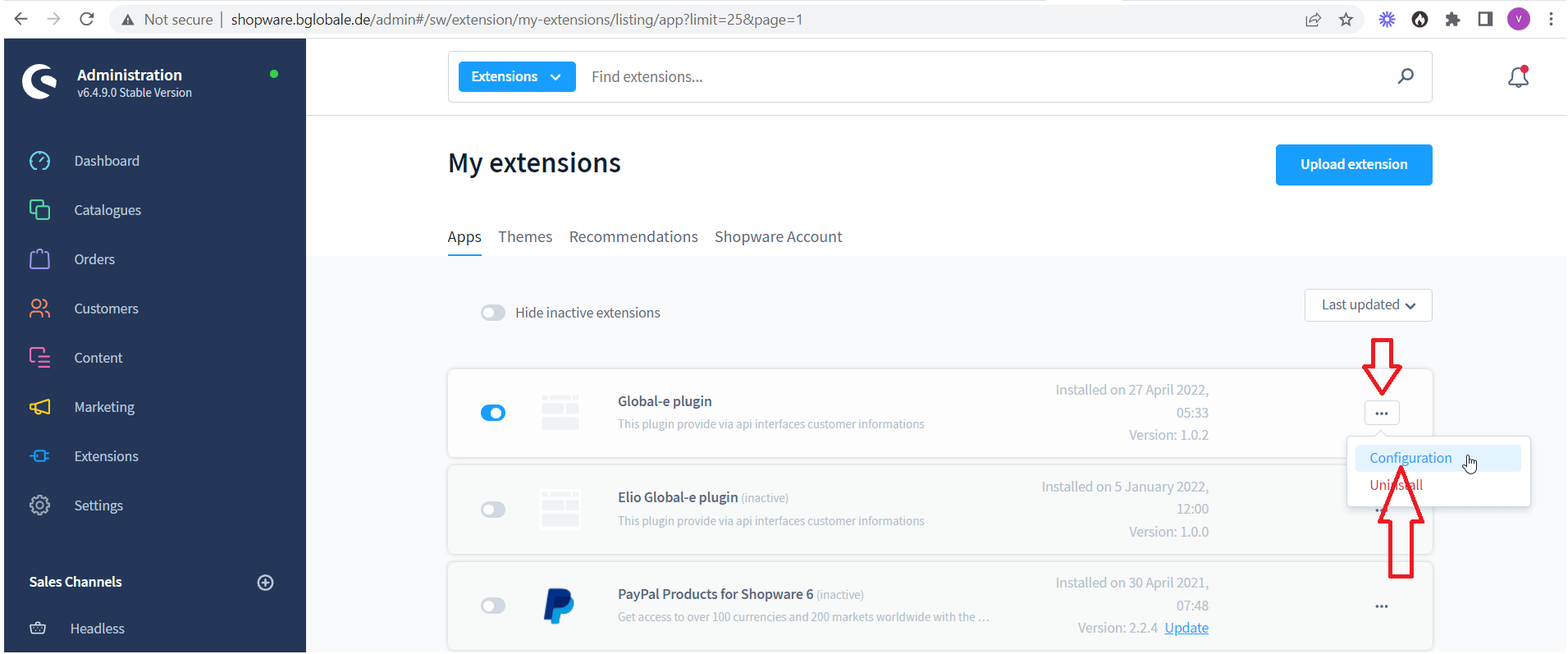
-
Set the merchant configuration values.
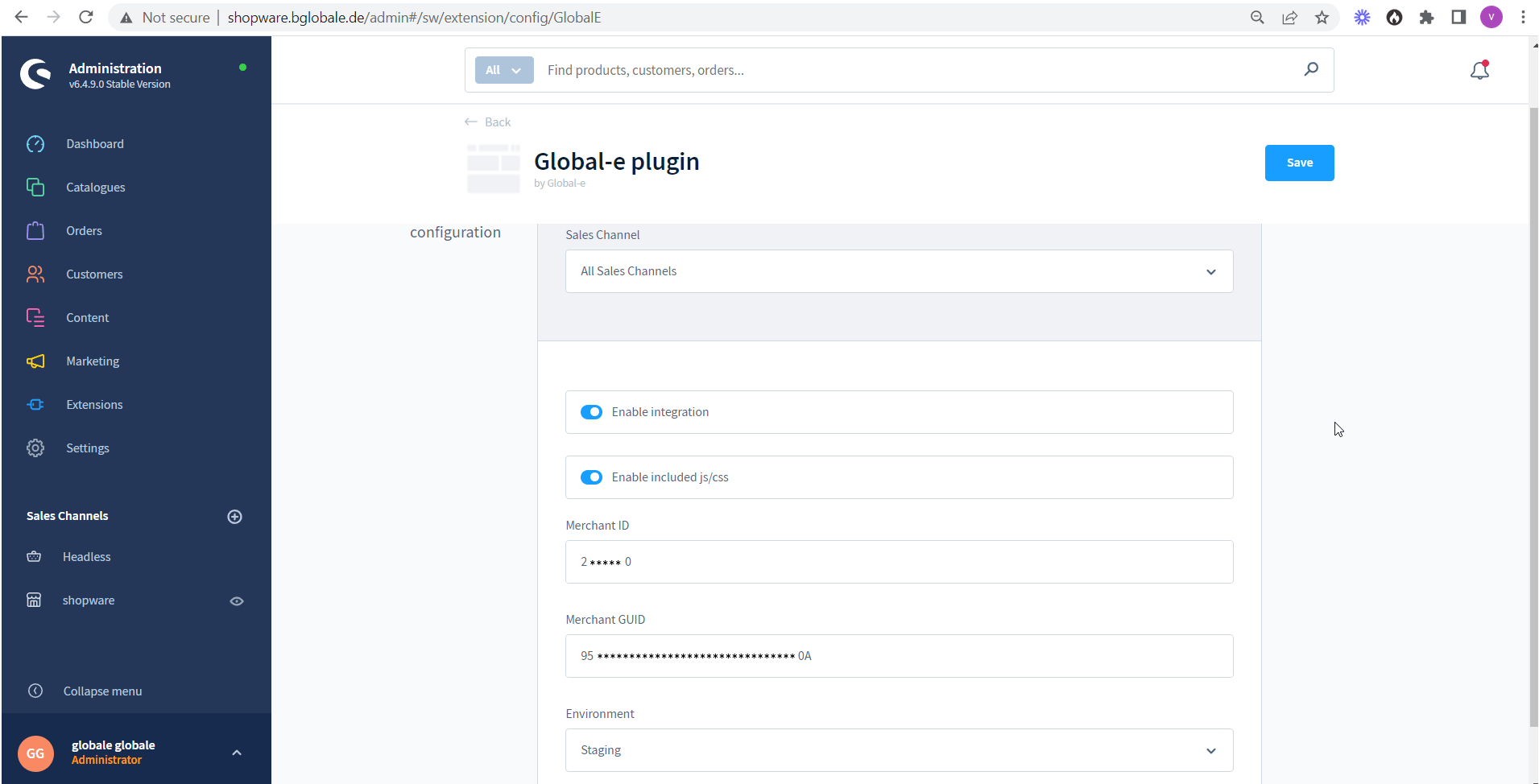
-
To the right of the Global-e plugin click the three dots → Configuration
- Go to Extensions → My extensions.
-
Click Upload extensions and select the zip file.
The Global-e plugin is added to the My Extensions page.
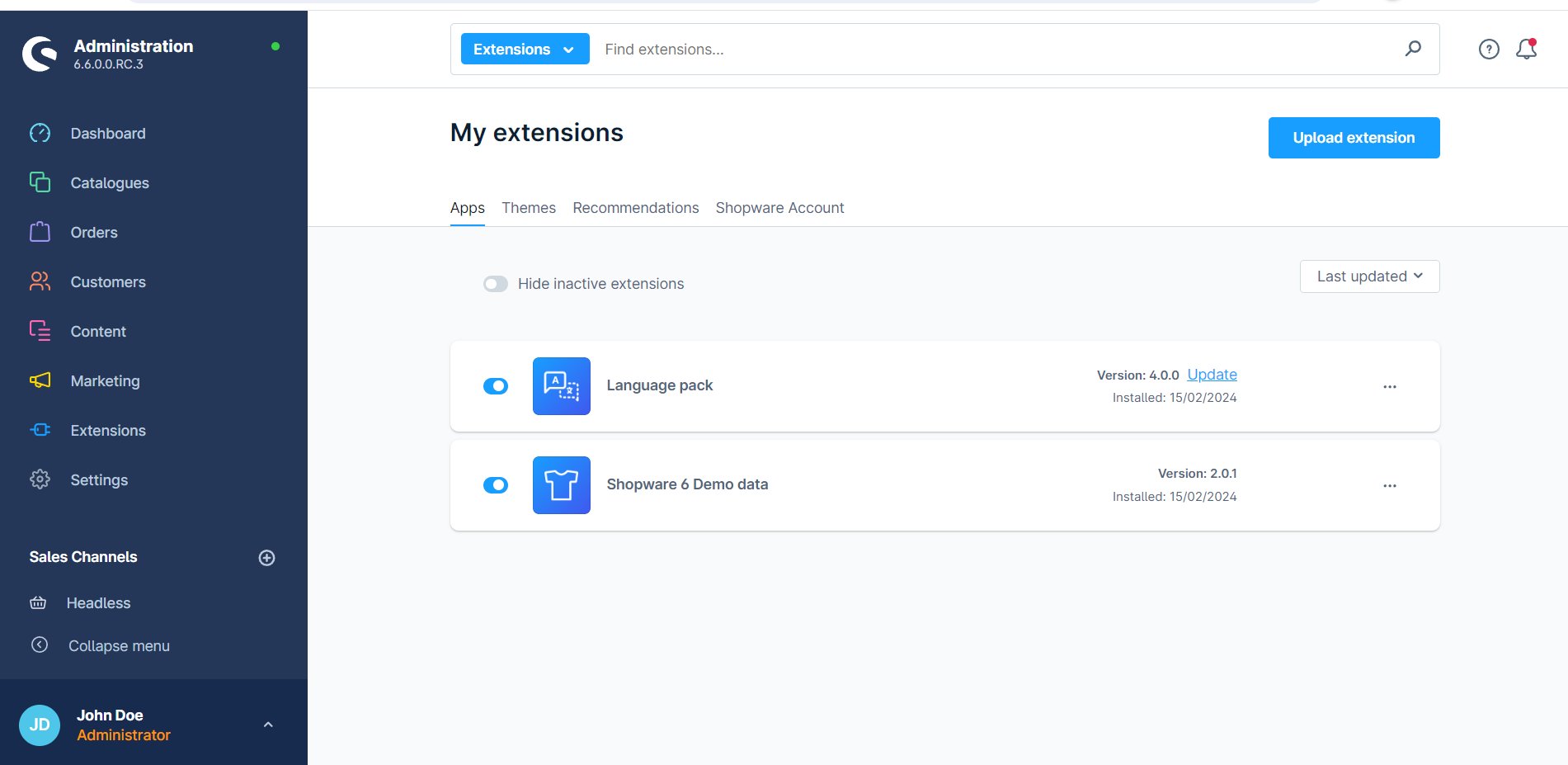
-
On the right side of the Global-e plugin click Install app.
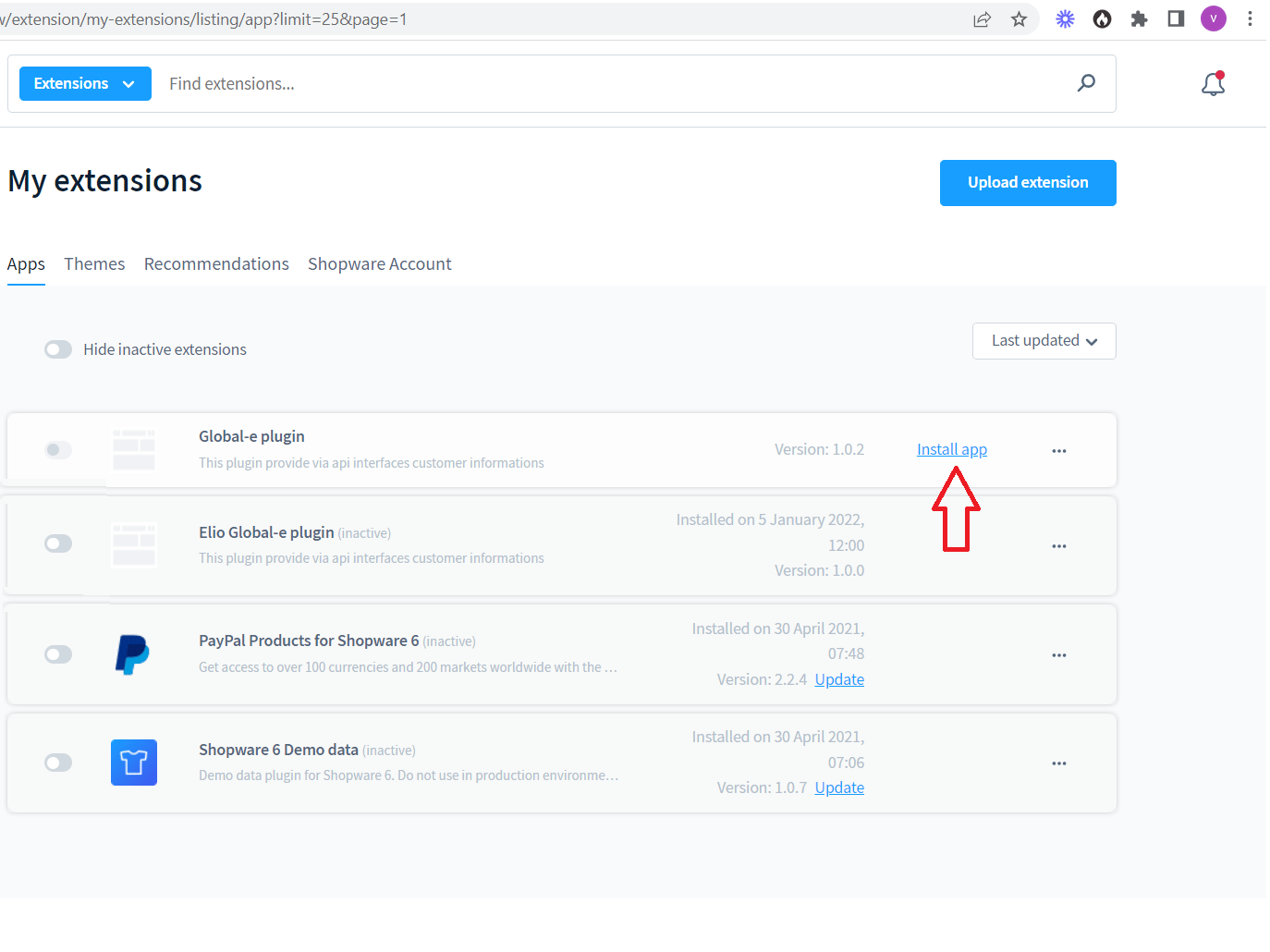
-
Enable the Global-e plugin.
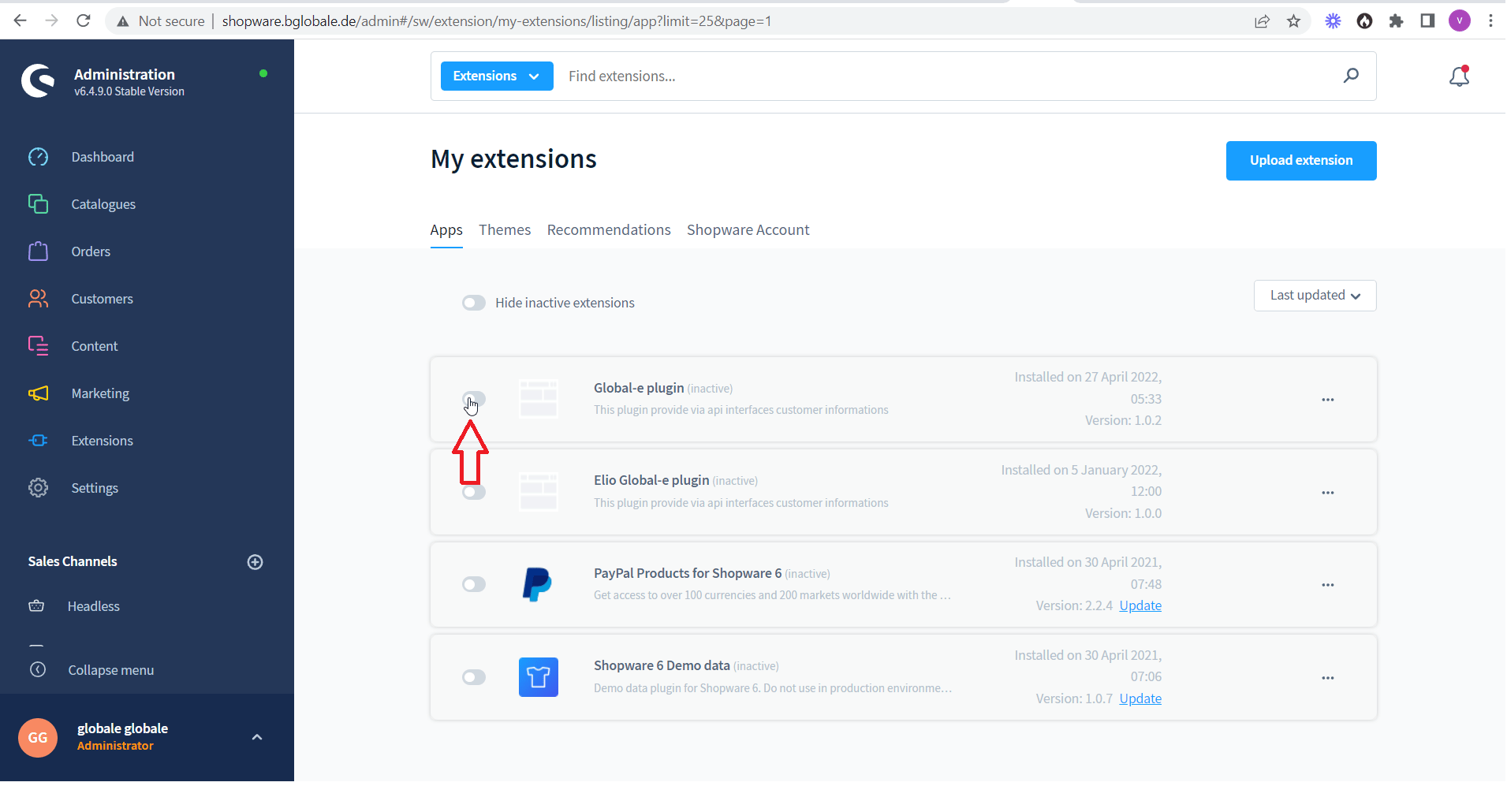
Global‑e Shopware Plugin
| SendOrderToMerchant – to transfer new orders from Global‑e to Shopware PerformOrderPayment – to notify the merchant that payment was authorised UpdateOrderStatus – to notify the merchant of any change made to an order (e.g. cancellation, status change…) NotifyOrderRefund – to notify the merchant of a full order refund | Shopware_Logo.pngIn Shopware, the order is created as a standard Shopware order, following the native Shopware creation flow. |
|---|