

Stock Validation during Checkout
This feature lets you validate your stock when an order is placed. During checkout, when a customer clicks the Pay and Place Order button, Global-e sends a request to your stock validation endpoint. If a product is out of stock, a pop-up informs the customer that the items are no longer available, as shown in the following example.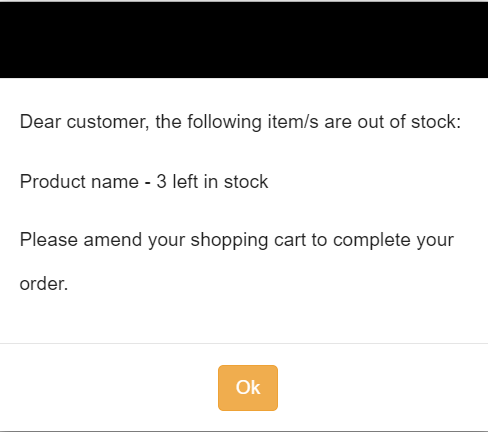
- GetCheckoutCartInfoadd a parameter
validateStock=true- OR - - Create a new API endpoint that returns the same response as the GetCheckoutCartInfo (see examples below). In this case, notify us so that we can configure it on the Global-e side.
- If all products are in stock, the API returns the same line items displayed in the original GetCheckoutCartInfo response. See examples 1 and 2 below.GetCheckoutCartInfo (to Merchant)
- If a product is out of stock, check your inventory and update the product availability for the line item(s) for which there is not enough stock. See example 3 below. This is the stage when the pop-up appears, prompting the shopper to modify their ordered quantity.
Sample Response
Example 1: OriginalgetCheckoutCartInfo response used to initiate the checkout. The OrderedQuantity = 5 units.
OrderedQuantity = 5, which is the same quantity as in the previous example.
OrderedQuantity = 3, a stock reduction from 5 to 3 units. This is when the pop-up is displayed, prompting the shopper to adjust their ordered quantity.
Block Int’l Orders from the Domestic Checkout
To prevent accidental international orders on your domestic checkout page, consider removing Global-e-operated countries from the country dropdown list; no action is needed if your checkout does not have a country dropdown. Alternatively, you can redirect your international shoppers to the international checkout after they make their country selection, as detailed below. Guest Shoppers- Add a country dropdown list to your checkout page if one is not already present. Ensure that each option’s value is a two-letter country code.
- Share the dropdown element ID with Global-e so that we can enable the feature for you.