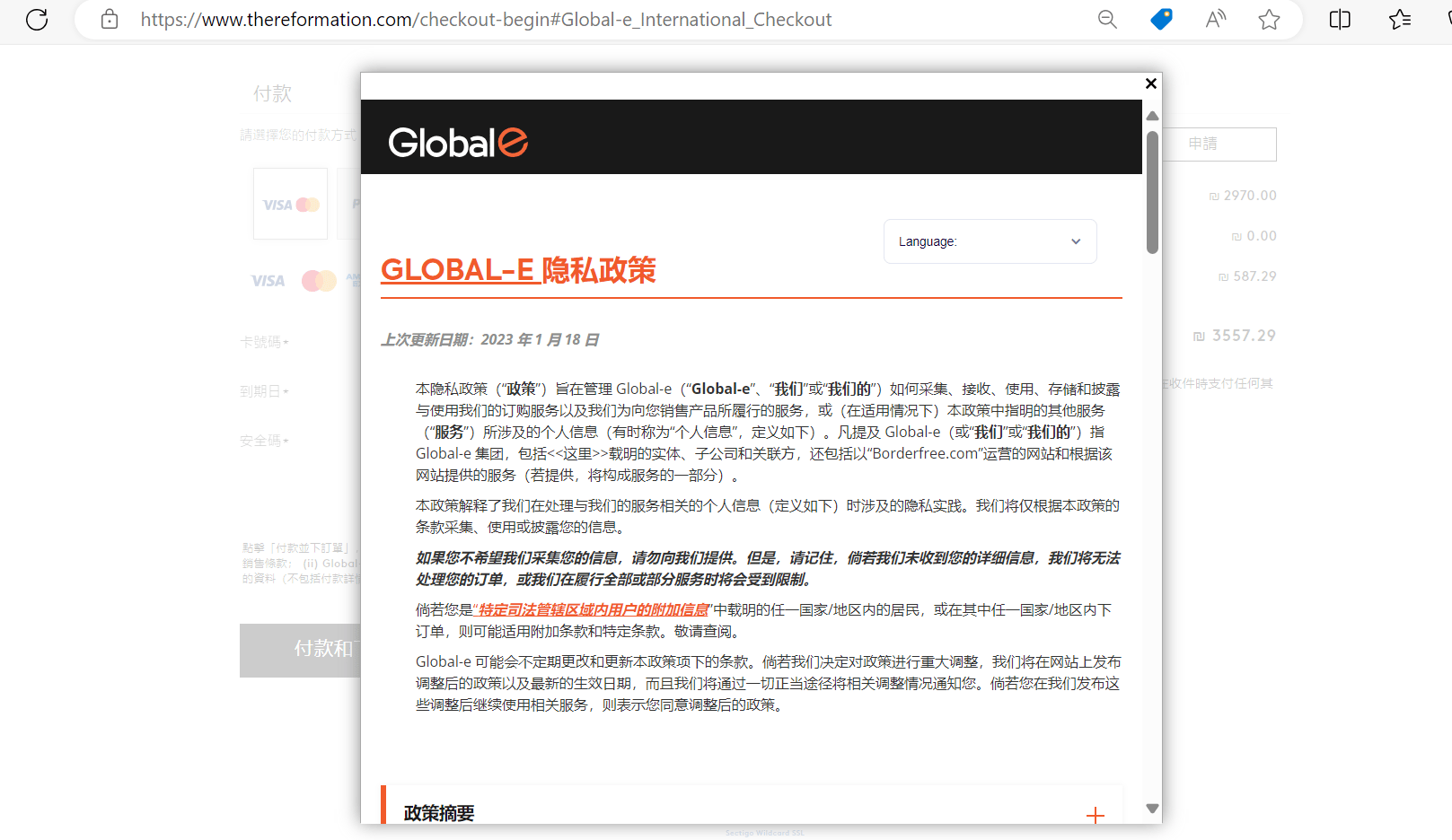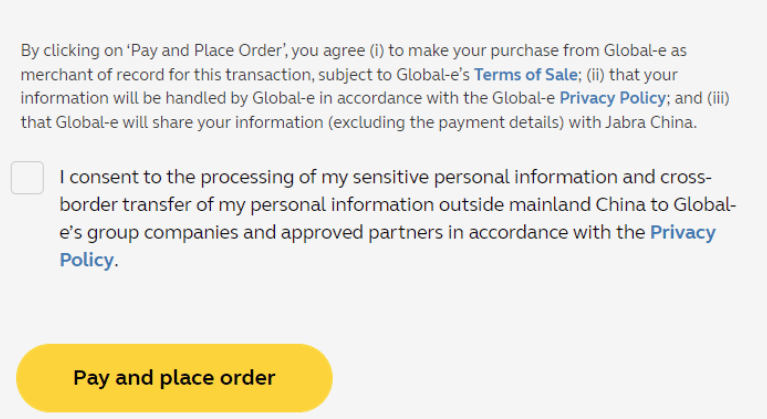
- Global Consent: A checkbox is displayed for customers to confirm their agreement to the Merchant’s T&C. This option is available for all countries unless regional-specific consent is configured.
-
Country-Specific Consent offers tailored solutions for regions with stricter requirements and overrides global consent for these regions:
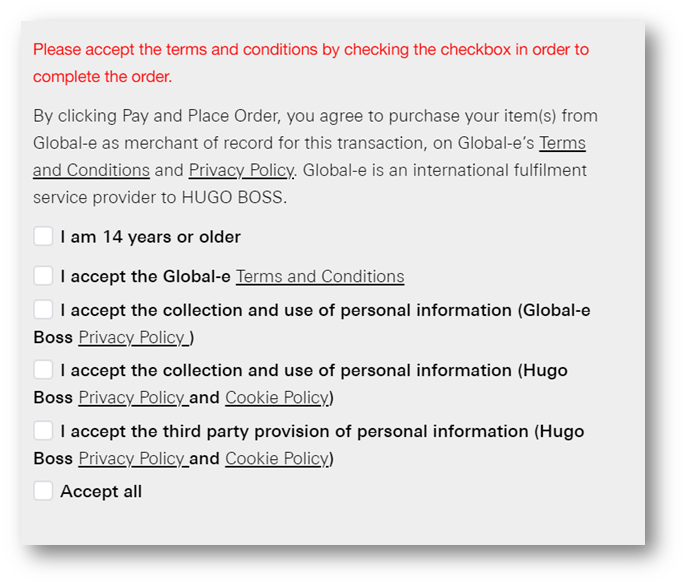
- China: A single checkbox with specific text.
- South Korea: Multiple checkboxes (up to five), including an optional “Check All” feature.
- Consent Logging: Customer consent is securely saved for every order, ensuring traceability and compliance with legal standards.
- Global Consent: Customers see a single checkbox requesting agreement to the T&C before completing their order. Clear and concise messaging ensures understanding.
- Regional-Specific Consent: In countries like China and South Korea, customers encounter additional or tailored checkboxes aligned with local requirements. Customers must check all boxes (or use the “Check All” option) before finalizing the purchase.
- Order Completion: Consent is seamlessly recorded with the order, enhancing the transaction’s transparency and security.
- Global Consent: “I agree to the Terms and Conditions of [Merchant Name].
- China-Specific Consent: “I understand and accept the Terms and Conditions for purchases in China.”
-
South Korea-Specific Consent:
- Checkbox 1: “I consent to the collection of personal data for order processing.”
- Checkbox 2: “I agree to the merchant’s privacy policy.”
- Checkbox 3: “I understand and accept the terms for returns and refunds.”
Customer Cookie Consent
This feature allows merchants to identify and respect a customer’s choice regarding cookies during browsing. This ensures compliance with GDPR guidelines by only enabling non-essential services after the customer has provided explicit consent.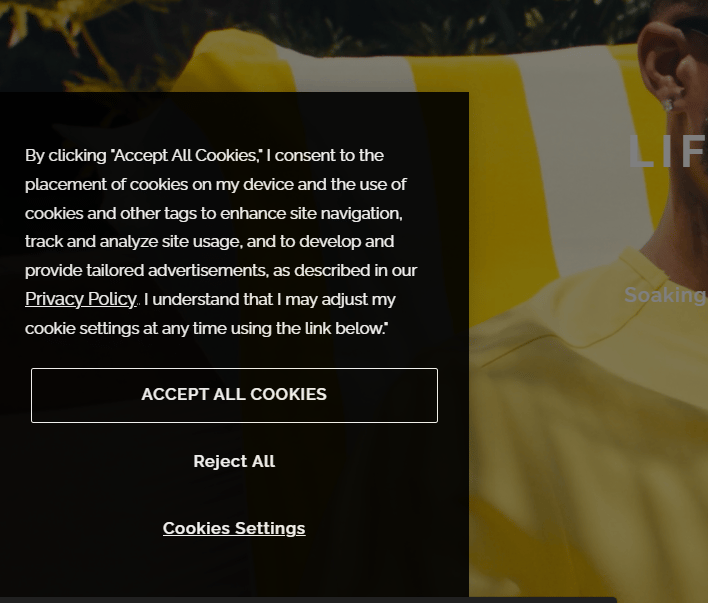
- Accept All: Enables all cookies.
- Reject All: Enables only essential cookies.
- Accept Only Necessary: Enable only essential cookies.
- No selection (pop-up is closed): Enables only essential cookies.
- Customize/Manage preferences: Customers choose preferences.
- Google Analytics
- Fullstory
- VWO
- Raygun
Legal Consent
The Legal Consent feature allows merchants to configure a consent request on the checkout page, ensuring that customers agree to legal disclaimers before completing an order.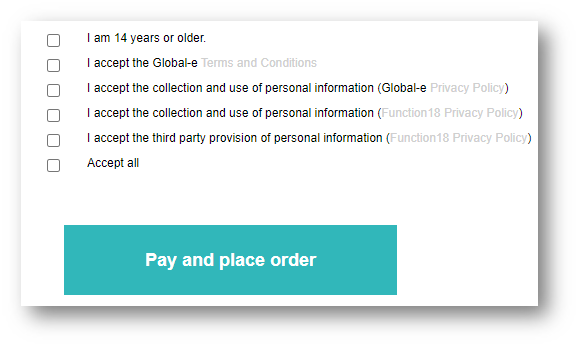
- Location: Merchants can configure the legal consent request for specific countries or apply it universally. This ensures that the consent request meets the legal requirements of each jurisdiction.
-
Text resources: To display the consent checkboxes, merchants must configure text resources.
The default resource format is
Checkout.CountryName.LegalConsent#Example:- Checkout.Korea(South).LegalConsent1
- Checkout.Korea(South).LegalConsent2
- Checkout.Korea(South).LegalConsent3
-
CheckAll: A checkbox to check all boxes can be added, by adding the resource in the following format:
Checktout.CountryName.LegalConsent.CheckAll -
Example:
Checktout.Korea(South).LegalConsent.CheckAll -
Text Placeholders: Placeholders can be included in the text resources to dynamically populate information. The following placeholders are supported:
- {PRIVACYPOLICY}: The link to the Global-e Privacy Policy
- {MERCHANTNAME}: The merchant’s name
- {TERMS}: The link to the Global-e Terms and Conditions
- {MERCHANTPRIVACYPOLICY}: A new placeholder linking to the merchant’s privacy policy. This URL should be configured in the new MerchantAppSetting: MerchantPrivacyPolicyURL.
Marketing Consent
Customers are offered the option to opt in or out of receiving marketing materials and SMS messages from the merchant.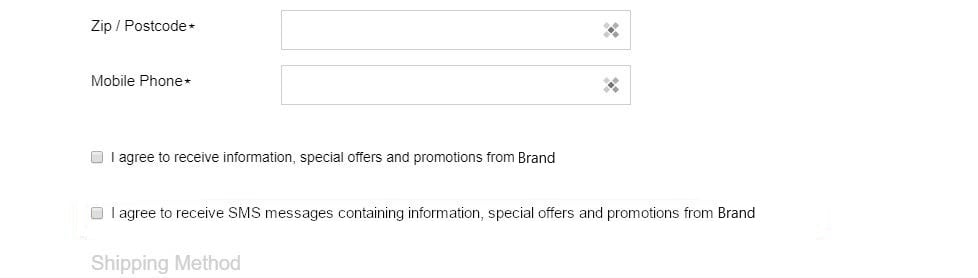
- Opt-in/ out of receiving special offers and promotions.
- Opt-in/ out of receiving SMS messages.
Translated Privacy Policy and Terms of Sale
Customers are redirected to the Privacy Policy and Terms of Sale pages in the language selected during checkout, ensuring a seamless and consistent multilingual experience.