

Introduction
The Global‑e integration uses the Shopify Markets functionality to provide a localised experience. This page describes the settings you can configure in contrast to those that Global-e manages on your behalf. In addition, it delineates the best practices you should follow to ensure that your system is stable and shows accurate information. Note that a separate market is created for each country.Global-e fully supports the new version of Shopify’s unified markets.
Current System
When the first country is operated by Global‑e, clicking Markets shows the following screen: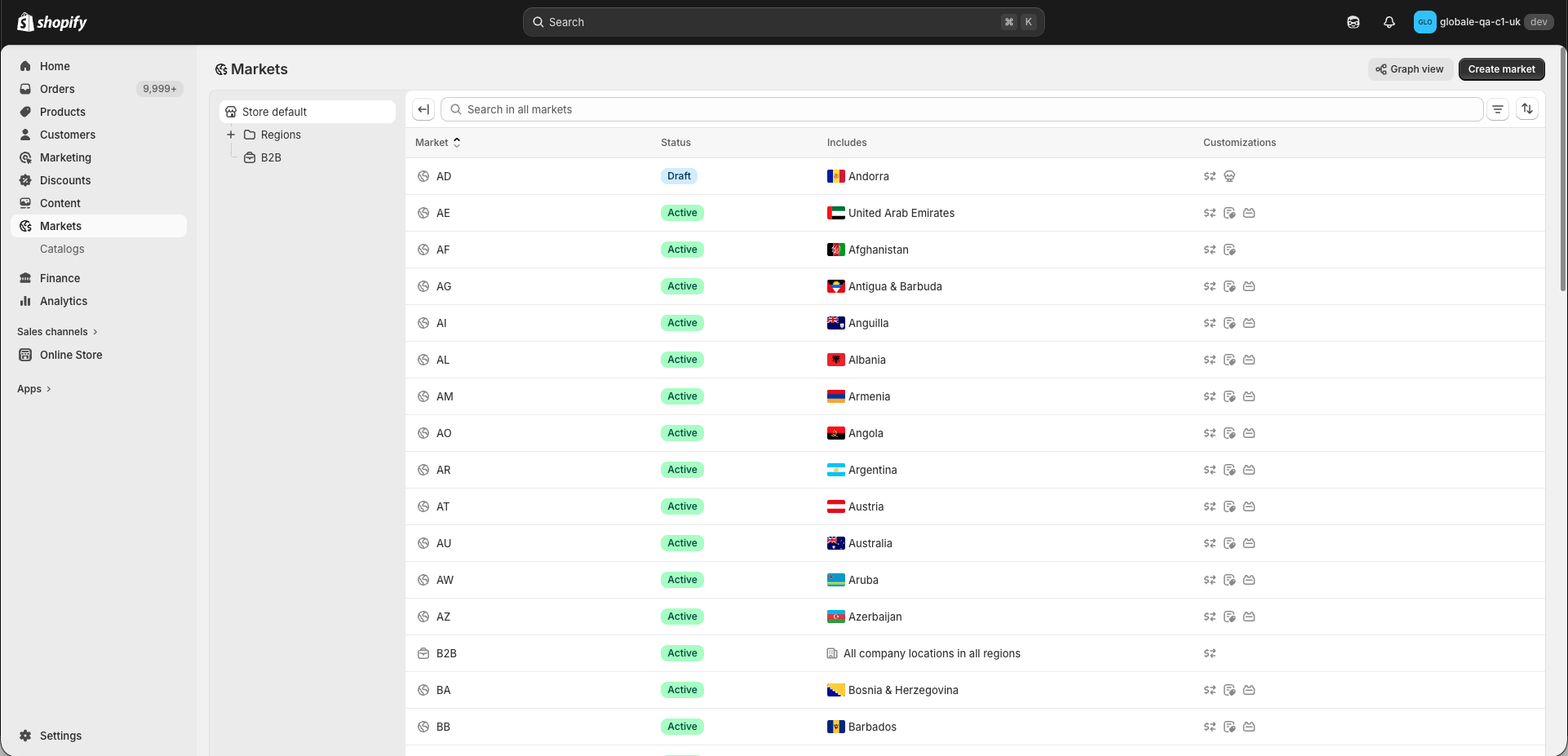
Global-e’s Interaction with Unified Markets
The updated Global‑e integration uses the Shopify Markets functionality to provide a localised experience, giving merchants direct access to the Markets section in their Shopify admin. Shopify’s evolution toward an increasingly unified approach to international, B2B, and POS (Point of Sale) retail operations under a single Market framework affects your configuration. This page describes how to maintain a compliant and seamless global marketing experience when configuring your settings. Each Market can have a localised subfolder, such as /en-ca for Canada. Make sure that your merchant site is compatible with this structure; otherwise, modify the structure as detailed in Shopify’s locale-aware URLs. Shopify’s Shop Pay is disabled for all markets operated by Global‑e. Global-e’s Shopify integration streamlines cross-border sales by leveraging native Market features. Global-e manages the Market section on your behalf to operate each country according to its own setting and customization requirements. Each country must be configured with its own market as shown below. This facilitates accurate pricing, catalog control, and tax configurations that align with local cross-border requirements.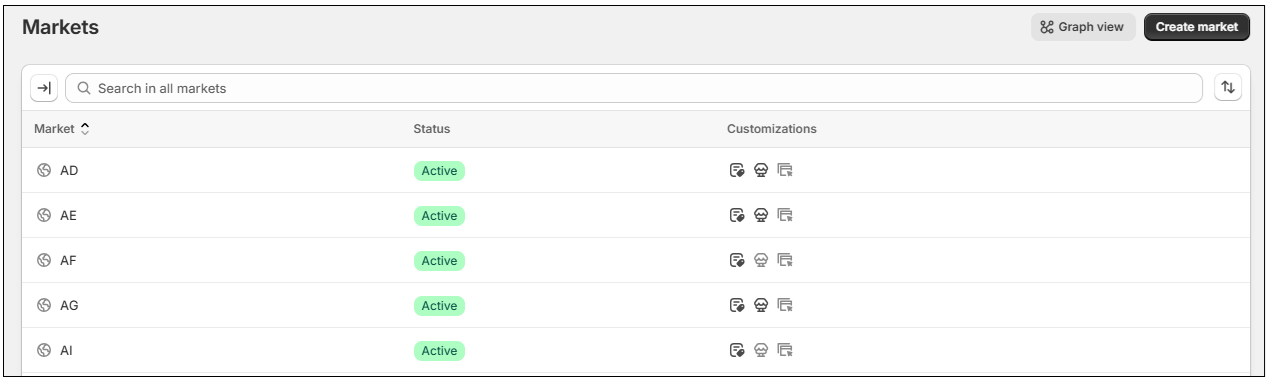
- The merchant must have a GUID (Global-e unique identifier)
- The merchant operates in one of the supporting countries (AS, FM, GU, MH, MP, PR, PW, VI)
Market Hierarchy
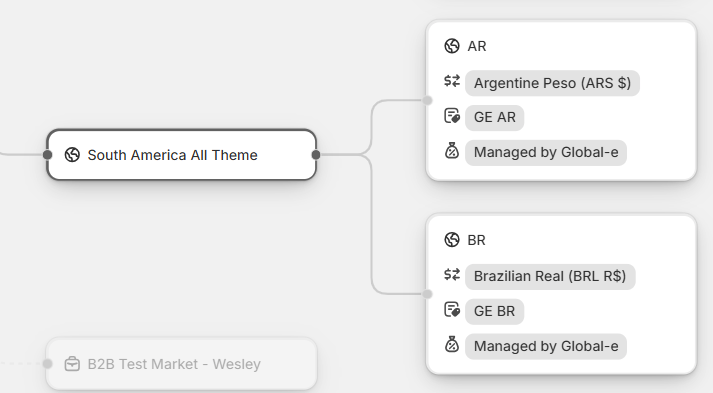
Shopify’s Markets framework uses a hierarchical structure, where markets inherit configurations, such as catalog, pricing, and theme from a defined parent market. This allows for streamlined configuration and a consistent experience across countries, enabling localized overrides where needed. Global-e leverages this structure by managing a dedicated market for each operated country, in addition to configuring the following key cross-border settings:- Currency
- Duties and taxes
- Catalog
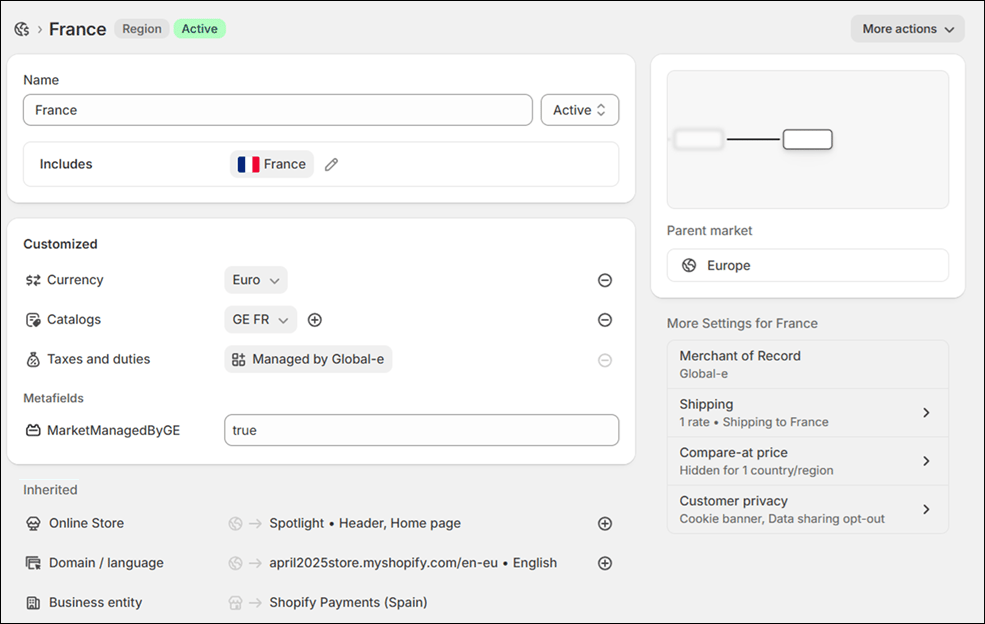
| Setting | Controlled By | Merchant can Edit |
|---|---|---|
| Market Settings | ||
| Name | Global-e | Yes |
| Active / Draft | Global-e | No |
| Country Assignment (Includes) | Global-e | Yes |
| Currency | Global-e | No |
| Price rounding | Global-e | No |
| Exchange rate | Global-e | No |
| Market Catalog Assignation | Global-e | No |
| Price coefficient | Global-e | Only from the Global-e platform. |
| Fixed prices | Global-e/ Merchant | Only when the specific Market’s prices are calculated by Shopify (CBS). |
| Duties and import tax | Global-e | No |
| Tax Display | Global-e | No |
| Themes Customization (Online Store) | Merchant | Yes. Merchants should not remove the Global-e operators for the following sensitive elements: Free shipping banner Add to Cart button Hidden elements |
| Domain / Language | Merchant | Yes |
| Metafields | Global-e and Merchant | Merchants should not remove the Global-e metafield, but can add more. |
| Business Entity | Merchant | No |
| Catalog Settings | ||
| Catalog Name | Global-e | No |
| Catalog Status | Global-e | No |
| Catalog Currency | Global-e | No |
| Catalog Coefficient | Global-e | No |
| Catalog Added | Global-e | No |
| Catalog Removed | Global-e | No |
Merchant Configuration Management
While Global-e manages your core market setting for the operated countries, you can adjust certain visual and experiential aspects on your own. It is important to know the difference between settings that you can safely modify, and those that should be managed by Global-e. Incorrectly modifying certain settings can lead to configuration conflicts. The following table describes what settings you can safely configure, and what Global-e should manage:| Safe to Modify | Do Not Modify |
|---|---|
| Modifying language and translation settings. Creating hierarchies, including countries operated by Global-e in markets operated by merchants. Setting visual branding to match your design theme. Customizing theme according to store appearance per market or country. Managing localised URLS and multilingual content. Each market can have a localized folder. For example, /en-ca for Canada. Verify that your merchant site is compatible with this structure. If it isn’t, modify the structure as detailed in Shopify’s locale-aware URLs. | Deleting a market created and managed by Global-e. Assigning, adding, and removing countries. Disabling settings managed by Global-e on a Global-e market. |
We validate any configurations you modify that our administrators manage, and force replaces incorrect values with the correct ones.