

Introduction
As part of its solution, Global‑e supports single sign-on with SAML web authentication. Security Assertion Markup Language (SAML) is an open standard that allows identity providers (IdP) to pass authorisation credentials to service providers (SP). SAML is mostly used as a secured web-based authentication mechanism as it relies on using the browser agent to broker the authentication flow. Global‑e plays the role of Service Provider and implements the ServiceProvider-initiated SSO SAML flow. For more info on SAML, see: https://developer.okta.com/docs/concepts/saml/ This document targets the Merchant’s IT personnel or Integrator in charge of performing the SSO integration between the Merchant IdP system and Global-e Merchant Portal.The end-user (or user) represents the designated Merchant personnel with permission to use the Global‑e Merchant Portal. This could be, for example, a Merchant Admin, Store User, Store Admin, and more.
General Information
Service Provider Initiated Flow
As the Service Provider (SP), Global‑e initiates the sign-on flow, as illustrated in the following Service Provider Initiated Flow figure.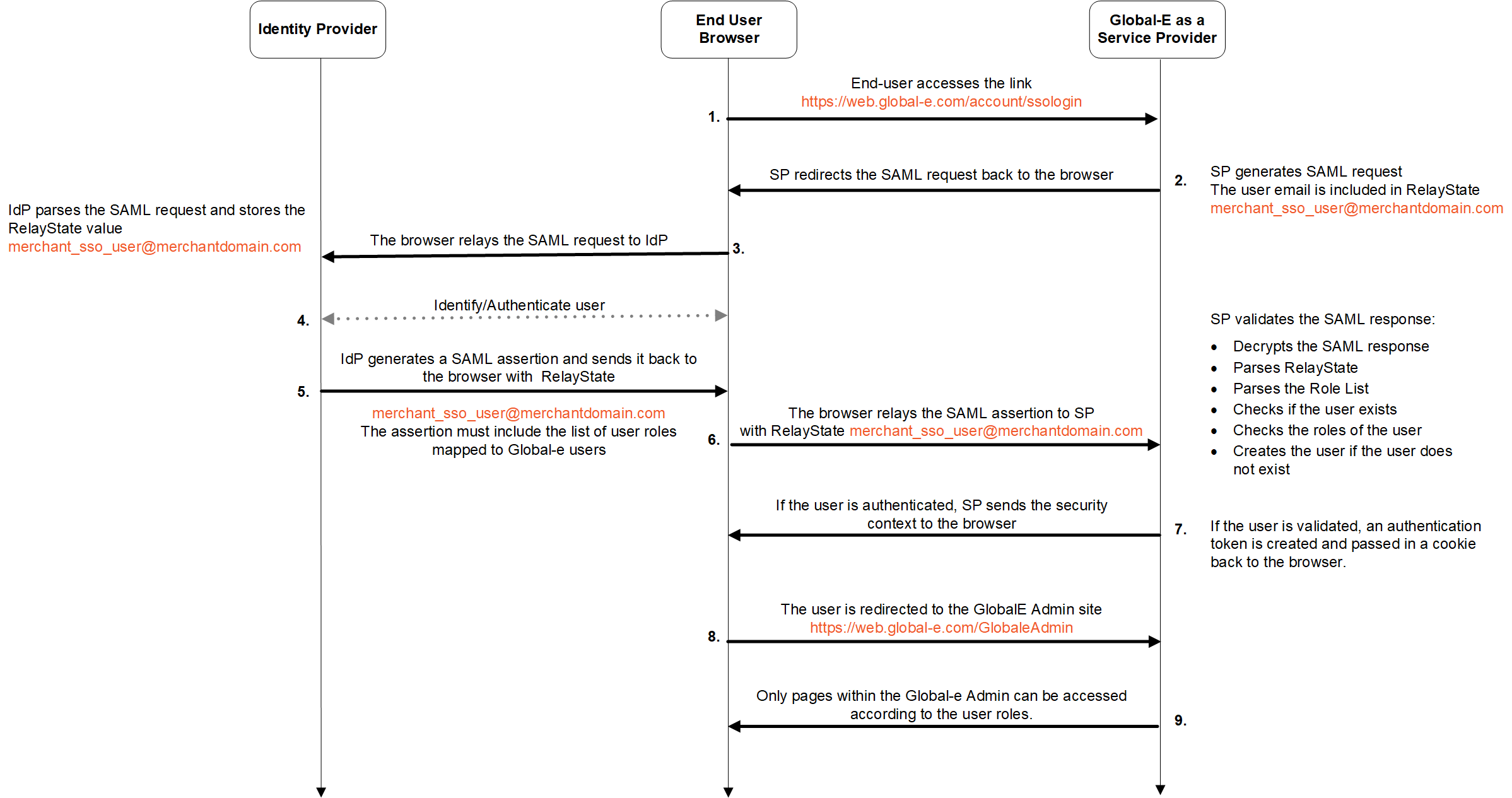
-
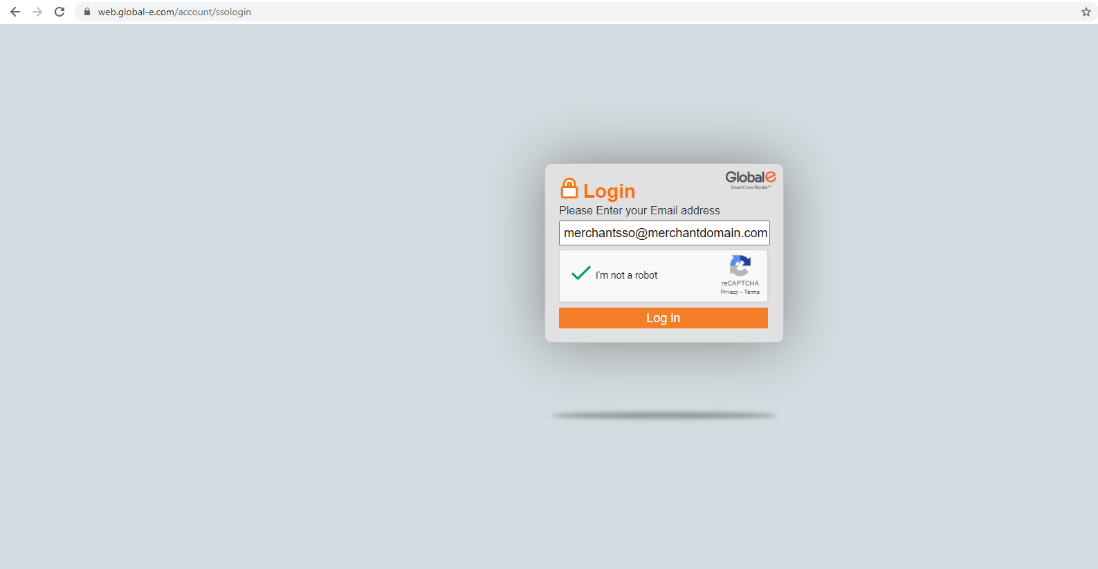
The end-user accesses the Global‑e Merchant Portal and enters only their employee email address:
- Global‑e Merchant Portal URL: https://web.global-e.com/account/ssologin
-
Merchant employee email example:
merchantsso@merchantdomain.comSee Screens: Accessing the Global‑e Service Provider. Global‑e SP generates a SAML request together with the employee’s email included inRelayState.
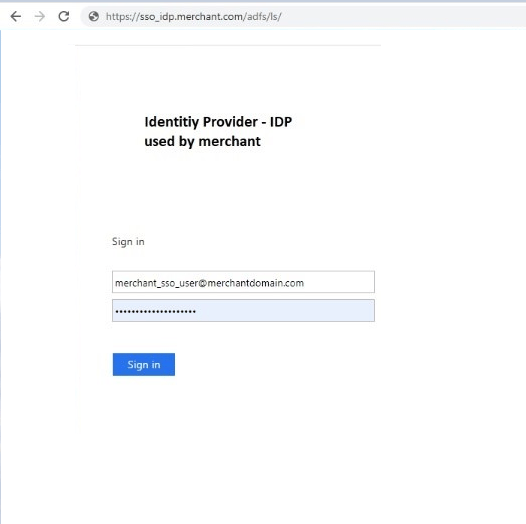
- The Global‑e SP initiates a SAML redirect to the end-user web browser. This means that when the user clicks login, the user is redirected to the Identity Provider sign-in page and prompted to enter the username and password.
- The end-user browser relays the SAML request to the Identity Provider (IdP).
-
IdP identifies and authenticates the user: IdP parses the SAML request IdP stores the
RelayStatevalue (user email address). - IdP generates a SAML assertion (XML document containing the userauthorisation ) and returns it with the user’s email address to the user’s browser. The assertion document must include the required list of roles supported by the Global- Merchant Portal. See Configuring User Roles.
-
The user browser returns the SAML assertion to the Global-e SP together with the user email.
Global‑e SP validates the SAML response:
- Decrypts the SAML response
- Parses the
RelayState - Parses the Role List (see Role List)
- Checks if the user exists by searching for the user e-mail received in
RelayStateas part of the SAML response. - Checks the roles of the user
- Creates the user if the user does not exist
- If the user is validated, Global‑e SP creates an authentication token and passes it in a cookie to the user’s browser.
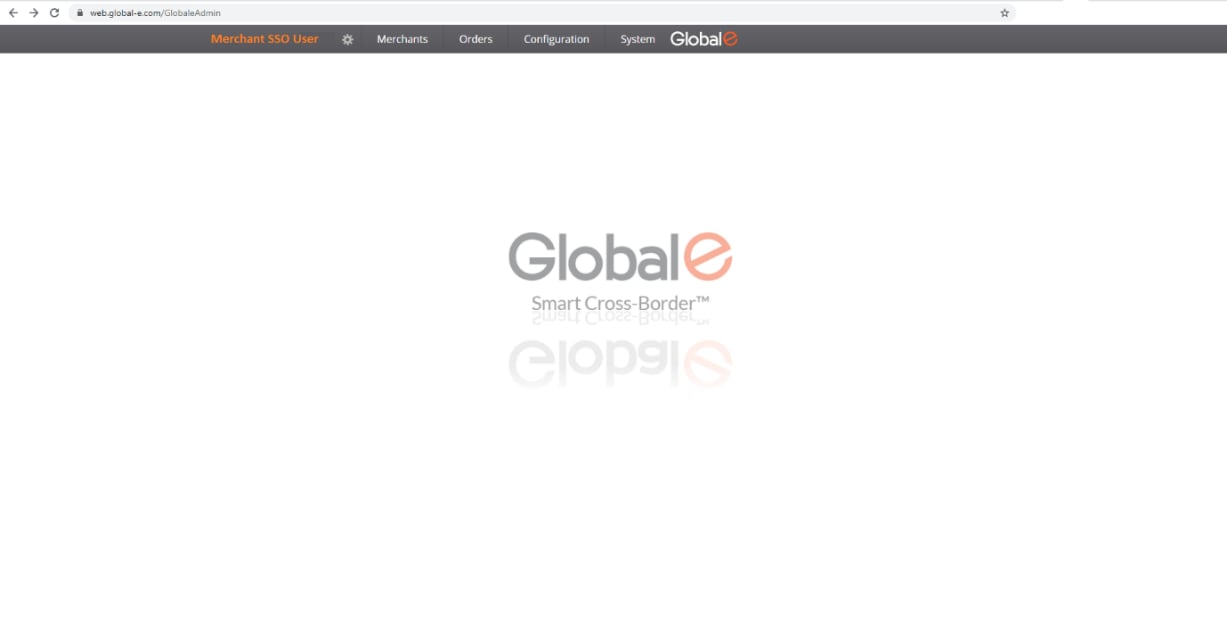
- The user is redirected to the Global-e Merchant Portal: https://web.global-e.com/GlobaleAdmin.
- Global‑e pages are accessible based on user role.
User Interface
The user accesses the Global-e Merchant Portal by entering only their employee email address (merchant domain). Example:merchantsso@merchantdomain.com
Accessing the Global‑e Service Provider (Global‑e SP)
IIdP Sign-in and Authentication (Example)
Accessing the Global‑e Merchant Portal
Supported Binding
Global‑e SP supportsHttpGet and HttpPost binding for the single sign-on.
Global‑e Identifier
The Identifier allows the Merchant’s IdP to identify Global‑e as a Service Provider. This Global-e SP entity identifier is a fixed value represented as follows: PROD (Production):9c41258e-0c9d-43b4-ba15-242b139011fd
STG (Staging):
0d1821aa-309a-4314-b5fe-b4a7c3debbe8
INT (Internal):
0d1821aa-309a-4314-b5fe-b4a7c3debbe8
Example:
The following SAML request XML attribute specifies the Global‑e SP entity identifier:
entityID=https://wwww.global-e.com/9c41258e-0c9d-43b4-ba15-242b139011fd
Metadata
SAML supports metadata endpoint link exchange between IdP and SP, where IdP provides the Global‑e SP with the link to the XML publicly available metadata and vice versa. This simplifies the setup process. One way to configure such a relationship is to exchange metadata files between the SP side and IdP via metadata links, where the SP side can receive an IdP metadata file and generate an SP metadata file for consumption by IdP.Global‑e Metadata
Global‑e SP exposes SAML metadata either via a link or via a file that can be downloaded from the link. The Global‑e metadata includes the following parameters:- The SP entity id
- An endpoint to redirect the end user for HttpGet binding: PROD (Production): https://secure.global-e.com/account/externallogin STG (Staging): https://secure2.bglobale.com/account/externallogin INT (Integration): https://secure.bglobale.com/account/externallogin
- An endpoint to redirect the end user for HttpPost binding: PROD (Production): https://secure.global-e.com/account/externallogin STG (Staging): https://secure2.bglobale.com/account/externallogin INT (Integration): https://secure.bglobale.com/account/externallogin
- A public certificate and signature for signing and encryption
- Global‑e contact details
Contact Global‑e if you are not sure whether to use the values for PROD, STG, or INT.
IdP Metadata
Global‑e gets the IdP metadata by accessing the link sent by IdP. The IdP metadata initiates a SAML request. The IdP metadata includes:- An IdP redirect URL (for SAML Request)
- A IssuerID
- An IdP logout endpoint link
- A public certificate and a signature for signing and encryption
Endpoints
The Global‑e SP metadata is accessible either through the URL or via a file available for download. This metadata provides IdP with the necessary information to communicate with Global‑e. To access the Global-e SP Metadata:-
Click: https://web.global-e.com/account/ssometadata/5bd9136f-fcab-420e-8402-a1e5d2578649/FederationMetadata.xml
Example of Global‑e SP Metadata:
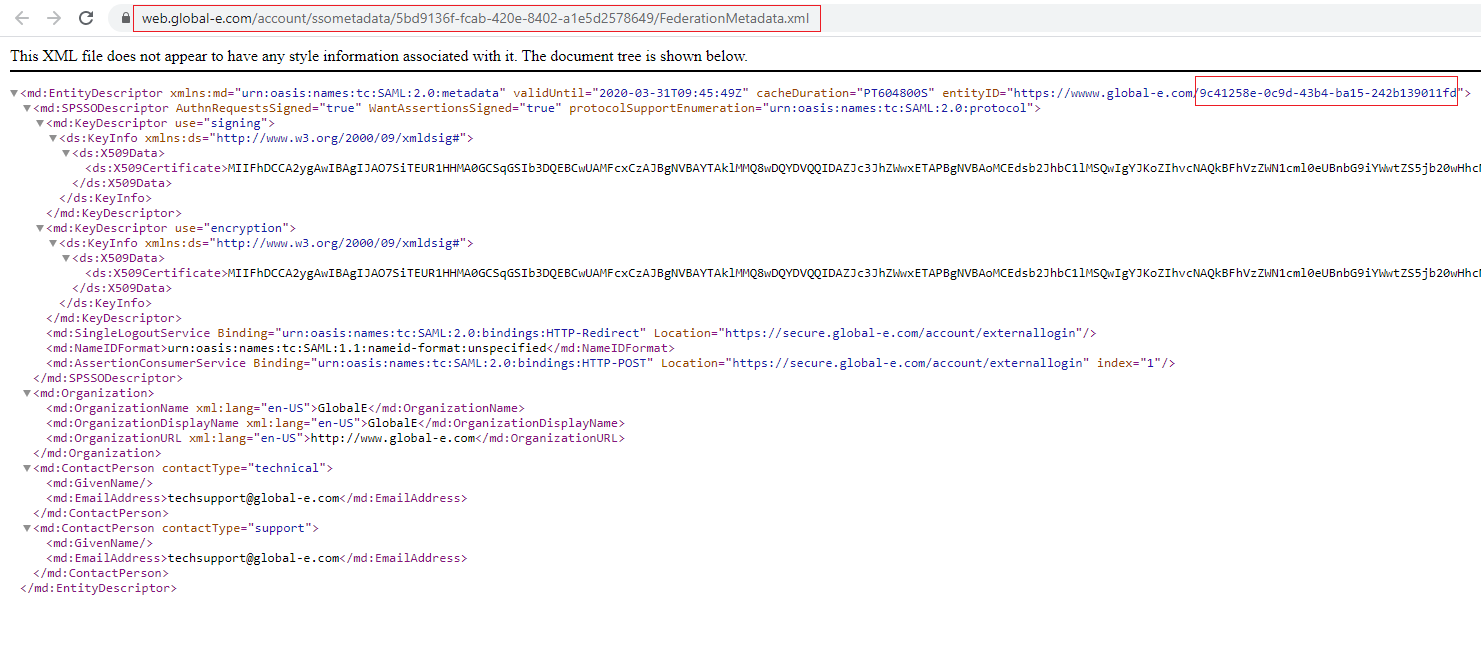
HttpGet and HttpPost SAML bindings: https://secure.global-e.com/account/externallogin
Integrating Global‑e SP with IdP
This section details the steps required to register Global-e as a trusted entity within IdP. To integrate Global-e SP with IdP:- Register the Global‑e SP entity in IdP using the metadata endpoint links exchange method. See Metadata.
- In IdP, configure the list of user roles supported by Global‑e SP. See Configuring User Roles.
- Register IdP in Global‑e SP using the metadata endpoint links exchange method. See Metadata.
- Global‑e maps the Merchant user roles in the Global‑e system.
Configuring User Roles
To configure the list of user roles:- Prepare the list of employees (users) that should have permission to use the Global‑e Admin.
- Associate each user to one or several roles supported by Global‑e SP (see list of supported roles further below).
- Provide this list of SSO users and associated roles to the Identity Provider so that they can configure and include these roles in the SAML response to be sent to Global‑e.
| Hub Admin Hub Operator Merchant Admin Merchant CS Merchant CS Admin | Store Admin Store User Merchant Report Admin Merchant Report User |
|---|
Configuring Merchant Domains
If you have more than one domain, send us the list of addresses of all the domains for which you want SSO support so that Global‑e can set this up.Example of SAML Communication between Global‑e SP and IDP
Example of SAML Response with Linked Roles - Sent by IdP to Global‑e
Checklist of Items to Send to Global‑e
Make sure to send the following items to Global‑e to ensure adequate setup and support:-
Identity provider metadata URL.
Example URL:
https://login.microsoftonline.com/38829821-e013-4e4e-a1bd-cddc47cc36dc/federationmetadata/2007-06/federationmetadata.xml?appid=f004905c-fdbd-40f3-97e9-42f516d9cafe
Note the
appidparameter at the end of the URL. - SAML2 binding type - HttpPost or HttpRedirect
- Allowed roles for SSO users. Only users with these roles are allowed to log in as SSO. Contact Global‑e if you require additional roles.
- The list of all your domains that require SSO support.
- A test user account and credentials for Global‑e for each email domain supporting SSO (for testing purposes).
If you have a separate sandbox working with the Global‑e Staging environment, make sure to provide this information for both, your sandbox, and your production website.